1
ENGLISH INSTRUCTION
DVD Features
The unit provides high-resolution image,
high-quality sound and surround effect. The
DVD player can play not only DVD discs of
various versions, but also VCD, Super-VCD,
CD, HDCD, MP3, JPEG-CD, etc.
Features:
1. Electronic Shock Proof function inside.
Extra 64Mbit SDRAM cache memory is
provided to support disc track buffer time
(CD 36sec,VCD 7sec,DVD 4sec,MP3
100sec ).
2. Low Power Consumption.
Standby current: 4mA or less. Operating
Current: 0.8A or less.
3. Dust Proof Design. The enclosed dustproof metal shell is used to prevent Optical,
mechanism, and electrical parts (Optical Pick
Up specially) in the machine from possible
damage by dust and static electricity.
4. Intelligence. A high performance CPU is
used to manage all parts in the machine.
5. Intelligence Disc Entrance: When a disc is
detected in Disc Entrance, the machine will
switch On from Standby and then play disc
automatically without other operations.
6. Dolby AC-3 and DTS audio decoders
inside.
7. Advanced intelligence DVD navigator
inside. It can adapt to any DVD program disc.
8. All kinds of CD discs and DVD discs are
compatible. Including Audio CD / HDCD /
DTS-CD / MP3 CD / JPEG CD / Video CD /
Super VCD / DVD-5 / DVD-9 / CD-R / CDRW / DVD-R / DVD+RW etc.
9. PAL / NTSC /MUTLI systems selectable.
Accessories
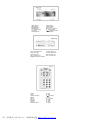
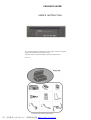
Picture A
Please confirm the accessories below when
you purchase this unit.
R Remote control
1Pcs
R Choke
1Pcs
R Battery (AAA, for remote)
2Pcs
R User’s Manual
1Pcs
R Audio connecting cable
1Pcs
R Video connecting cable
1Pcs
£ Remote sensor (Optional) 1Pcs
R Power adaptor (Optional)
1Pcs
R Fixing bracket
2Pcs
R Screw
some
Names of Parts
Picture B
Frontal panel
Picture C
Rear panel
Picture D
Remote control
Infrared Remote Control
Along with this unit is an infrared remote
control which has perfect remote control
function.
Installing batteries:
⊙ Open battery compartment, Insert 2 AAA
batteries, make sure to match the “+” and “-”
of batteries to the marks in the battery
compartment.
⊙ While operating the remote control,
please point it to the frontal panel of the DVD
player.
Cautions On Remote control
To avoid any fault, electric shock, fire or
human body damage, please observe what
listed below:
⊙ Please replace 2 AAA batteries in infrared
remote control when control distance is
shorten.
⊙ It may cause error when sunlight or
strong light directly irradiate the remote
control. Please keep it in a cool place.
⊙ Please take its battery out if you don’t use
the remote control for a long time to prevent
the batteries from leaking.
⊙ Please remove all the batteries if the unit
will not be used for a long period of time.
⊙ Do not peel off the covering on battery
and do not use it if the covering has been
peeled off.
⊙
Mishandling of battery can cause
electrolyte leakage that can damage items,
the liquid touches may Cause a fire.
⊙ If electrolyte leaks from the batteries,
please consult your dealer.
⊙ Wash thoroughly with water if electrolyte
touches any part of your body.
Connections
Picture E
Please see above picture F (Used at home)
Picture F
Please see above picture G (Used in car)
Basic Operation
If you want to connect the unit to a TV, plug
all power lines into receptacles, load the
batteries into remote control, turn on TV
power, then you can play the unit to enjoy it.
If you want to connect the unit to an amplifier,
you can also turn the player on, and select
proper amplifier mode according to the type
of discs you want to play
Power On and Play
1). Press POWER button on the player.
2). Operate TV remote control to shift TV to
proper video input mode (VIDEO IN).
3). Put a disc into the disc entrance, with
label side upward.
4). The player will slot in the disc
automatically, and begin to read it, It can
identify different disc formats then display it
on the TV screen. If directory or menu picture
display in the screen, you can press the
direction buttons Ç, È, Å and Æ buttons in
the remote control to move lighting band to
desired title and press [ENTER] button to
select it, also you can directly press number
buttons to select track.
Pause
to pause the playback, Press it
Press
again to return to normal play.
Mute
(Available to analog audio output signal only)
Press MUTE to remove the sound of the
player, press it again to return to normal state.
Eject the Disc
Press EJECT button, unload the disc until
the disc is stopped, and you can take out the
disc from disc entrance.
Power Down the Machine
Press the POWER button.
Turn off power of all connected equipment.
The Use of Remote Sensor
If you want to put the DVD player in where
you can‘t see, please insert REMOTE
SENSOR in the REMOTE SENSOR INPUT
jack and put the REMOTE SENSOR on
where you see in automobile, you can
control the DVD player so long as the remote
control is pointed toward REMOTE SENSOR.
Note:
1.While playing if you find the picture is not
displayed in full screen or some part hidden
or black and white image occur, you need to
set the system. Please select proper TV
system (PAL or NTSC), please refer to
instructions of system setting in chapter 6.
2.When the “
“ symbol shows in TV
screen, it indicates the operation is invalid.
Frequent Operation
We will introduce some regular operations of
different types of function, you can perform
one and more operations as you like.
Use menu to select item
If the DVD disc has menu, you can display
the menu by pressing MENU button, then
you can select a popular item to play
according to following procedures.
1). Press MENU
The screen display menu picture, the content
to be selected varies with different discs.
PDF 文件使用 "pdfFactory" 试用版本创建 www.fineprint.com.cn