1
USER MANUAL for the eVidia
Overview
MODULARITY
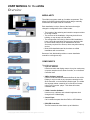
The eVidia is a system made up of modular components. This
allows for flexibility in design while keeping design, assembly,
maintenance and repair costs to a minimum.
Each installation is unique. Some of the factors that might
change the configuration of the eVidia include:
• The location of the authoring and controller computer relative
to the sign location.
• The structure of the installation: A sign may be built into a
building, or may sit atop a 50 foot tower.
• The arrangement of the face(s): Some eVidia installations
have a single face and allow easy access to the back side
for service while others may be installed back-to-back.
Some may require a lift to access, others may allow walk-up
service.
• Most eVidia installations are flat, but there are eVidia
installations with curved faces.
Because of this, Multimedia provides a custom installation
manual for each sign we ship.
COMPONENTS
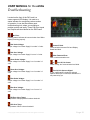
The eVidia components:
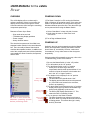
• Flyer Pro Software
Used to schedule and display content. It may be used on any
computer networked to the Show Controller, or on the Show
Controller itself.
• 2MPro Software (optional)
Used to create text-based content and effects for the eVidia
Display. It may be used on any computer networked to the
Show Controller, or on the Show Controller itself. The eVidia
also accepts content created in AVI or QuickTime formats
using Flyer Pro as the “player.” This allows full motion,
cinematic video.
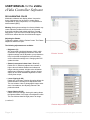
• eVidia Controller Software
Used to set up, calibrate, and schedule brightness level
changes in the eVidia display.
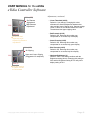
• Control Pipes
Cat 5e cables that pass data from DX2s to LED Modules
• DX2 LED Controllers
The DX2 controls the video feed to up to 8 Modules.
© Copyright 2003, Multimedia LED. All rights reserved
Page 3