1
English
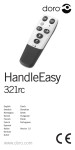
HandleEasy 321rc is an easy-to-use remote control featuring
large buttons.
Batteries
HandleEasy uses three 1,5V AAA batteries. When the batteries are
running low, the indicator will flash three times when pressing a
button. Only use high quality batteries. Insert the batteries according to
the markings for plus and minus terminals under the cover at the back.
Programming buttons
In order for HandleEasy to work together with your equipment, it
must be ‘taught’ the signals that are sent from the remote control of
the equipment. HandleEasy can also be taught the signal of other
remote controls from different equipment i.e. channel browsing
from the TV and audio volume from the stereo.
1.Keep the ON and OFF buttons depressed for about 3
seconds. The indicator will show a steady light (if no button
is depressed within 10 seconds, the learning mode will be
cancelled).
2.Press the desired button on HandleEasy. The indicator will
flash once.
3.From a distance of approx. 1 in. to 4 in., point the remote
control of the equipment towards HandleEasy (so that the
signal points of both remote controls are facing each other)
and press the corresponding button. If HandleEasy was
successful in learning the signal, the indicator will flash
twice. If there is an error, the indicator will flash six times. If
necessary hold down the button of the equipment for up to
10 seconds to succeed with the learning.
4.After pairing wait for 10 seconds before testing the
programmed button or hold down the ON and OFF buttons
until the indicator goes out.
Repeat steps 2 and 3 for each button, or if the learning fails.
Repeat steps 1 and 3 if a button needs to be altered.
Programming, button with double signal
Certain remote controls send different signals every other
time a button is pressed, a double signal. If you experience that
HandleEasy only works now and then or jumps double steps
it is likely that the original remote control utilizes a double
signal. To teach HandleEasy this double signal, follow the
instructions below.
1.Keep both ON and OFF depressed for about 3 seconds. The
indicator will show a steady light (if no button is depressed
within 10 seconds, the learning mode will be cancelled).
2.Press the desired button on HandleEasy. The indicator will
flash once.