1
Predict BGL App
User Manual
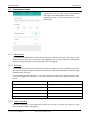
9.2.7 Model Basal Insulin
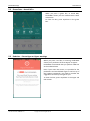
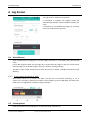
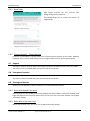
PredictBGL can model your basal insulin as well as your fast acting insulin.
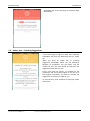
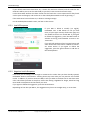
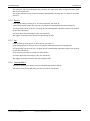
If Basal Modelling is turned on, then you MUST enter each basal dose for PredictBGL’s charts to
make sense. Skipping a basal dose will show a steadily-rising Blood Glucose. Double-entering a
basal dose will show a steadily falling Blood Glucose.
The purpose of turning on Basal Modelling is
1. To provide more accurate modelling of exercise and stress
2. To provide modelling of alcohol
3. To detect effects from basal insulin overlap (e.g. 9am on day 1, but 8am on day 2 can give
1 hour of double-effect).
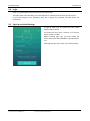
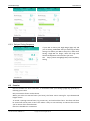
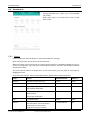
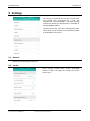
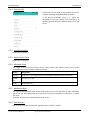
9.2.8 Basal Times
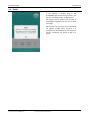
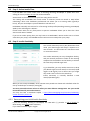
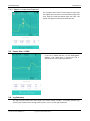
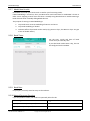
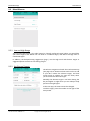
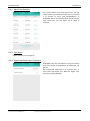
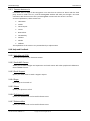
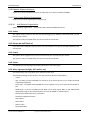
Set the time, insulin and dose of basal
insulin that you normally take.
If you take basal insulin twice a day, this can
be configured via the website.
9.2.9 Basal Rate
For pumpers, currently must be setup via the website.
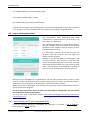
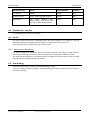
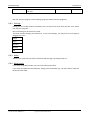
9.2.10 Natural Pancreas Function
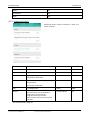
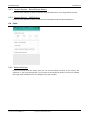
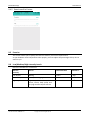
If you still produce insulin, the model can optionally allow for this.
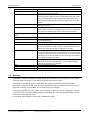
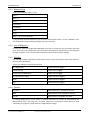
Diabetes Type
Suggested value
Type 1 (not in honeymoon period)
0
Type 1 (in honeymoon period)
0.3
23-Apr-15
User Manual Web
Page 33
1.3.docx:V1.0
Copyright © 2015 ManageBGL Pty Ltd