1
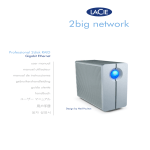
LaCie 2big Network
User Manual
Table of Contents
page Table of Contents
Health and Safety Precautions
General Use Precautions
4
4
1. Introduction to the LaCie 2big Network
I want to:
1.1. Box Content
1.2. Minimum System Requirements
1.3. Hard Drive Heat Management
1.4. Racking Options
1.5. Views Of The Drive
Front View/1-click Data Sharing
Rear View
1.6. Cables and Connectors
6
6
7
8
9
10
11
11
12
13
2. Setting Up Your LaCie 2big Network
2.1. Turning the Drive On
2.2. Connecting the Ethernet Cable
2.3. Connecting with LaCie Ethernet Agent (Windows)
2.4. Connecting with the IP Configurator Wizard (Mac)
2.5. Configuring the 2big Network on a LAN Without a DHCP Server
2.5.1. Configure with LaCie Ethernet Agent (Windows)
2.5.2. Configure with LaCie IP Configurator (Mac)
2.6. Disconnecting the 2big Network (Ethernet Connection)
14
15
16
17
19
20
20
21
22
3. Administering Your LaCie 2big Network
3.1. Accessing the NAS Administration Page
3.2. Setting the Display Language
3.3. Administration Home Page
3.4. Users
3.4.1. Administrator Account
3.4.2. Adding Users
3.4.3. Setting User Access to Shares
3.4.4. Setting Group Membership
3.4.5. About Access Privileges
3.4.6. Deleting User Accounts
3.4.7. Editing User Accounts
3.5. Groups
3.5.1. Adding Groups
3.5.2. Setting Group Access to Shares
3.5.3. Deleting Groups
3.5.4. Editing Groups
23
24
25
25
26
26
27
28
28
29
29
29
30
30
31
32
32