1
Get started.
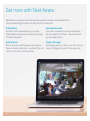
Look for the light.
Nest Cam is on.
Connecting to Wi-Fi.
The connection is spotty.
Blinking green means
someone’s watching.
Blinking blue means someone’s
talking through the speaker.
See what your Nest Cam sees.
Get a wide-angle view of the
room. Or zoom in and enhance
for a closer look.
Talk and listen.
Nest Cam has a mic and speaker
so you can hear what’s going on
and talk through the Nest app.
TIP: When setting up Nest Cam,
make sure there isn’t a wall or
object limiting its view. It might
throw off exposure, focus
or Night Vision. Learn more
at nest.com/setup/nestcam