1
Contents
Introduction . . . . . . . . . . . . . . . 3
Features . . . . . . . . . . . . . . . . . . . . . . 3
Checking the contents of package . . . 3
Part names . . . . . . . . . . . . . . . . . . . . 4
Setting up . . . . . . . . . . . . . . . . . 7
Arrangement . . . . . . . . . . . . . . . . . . . 7
Connecting with your devices . . . . . 10
Connecting to a power supply. . . . . 16
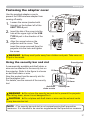
Fastening the adapter cover . . . . . . 17
Using the security bar and slot . . . . 17
Remote control . . . . . . . . . . . . 18
Installing the batteries . . . . . . . . . . . 18
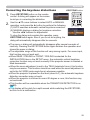
About the remote control signal . . . 19
Changing the frequency of remote
control signal . . . . . . . . . . . . . . . . . . 19
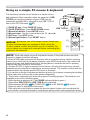
Using as a simple PC mouse & keyboard . . 20
Power on/off . . . . . . . . . . . . . . 21
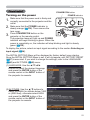
Turning on the power . . . . . . . . . . . 21
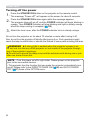
Turning off the power . . . . . . . . . . . 22
Operating . . . . . . . . . . . . . . . . 23
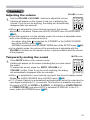
Adjusting the volume. . . . . . . . . . . . 23
Temporarily muting the sound . . . . . 23
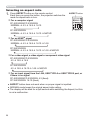
Selecting an input signal . . . . . . . . . 24
Searching an input signal . . . . . . . . 25
Selecting an aspect ratio. . . . . . . . . 26
Adjusting the projector's elevator . . 27
Adjusting the zoom and focus . . . . . 27
Using the automatic adjustment feature . . . 28
Adjusting the position . . . . . . . . . . . 28
Correcting the keystone distortions . . 29
Using the magnify feature . . . . . . . . 30
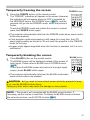
Temporarily freezing the screen . . . 31
Temporarily blanking the screen . . 31
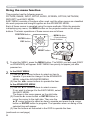
Using the menu function . . . . . . . . 32
EASY MENU. . . . . . . . . . . . . . . 34
SETUP menu . . . . . . . . . . . . . . 46
Aspect, Auto keystone,
Keystone,
Picture mode, Eco mode, Installation,
Reset, Filter time, Language,
Advanced menu, Exit
PICTURE menu . . . . . . . . . . . . 36
Brightness, Contrast, Gamma, Color temp,
Color, Tint, Sharpness, Active iris, My memory
IMAGE menu . . . . . . . . . . . . . . 39
Aspect, Over scan, V position, H position,
H phase, H size, Auto adjust execute
INPUT menu . . . . . . . . . . . . . . 42
Progressive, Video nr, Color space,
Video format, Hdmi format, Hdmi range,
Computer in, Frame lock, Resolution
2
Auto keystone,
Keystone, Auto eco mode,
Eco mode, Installation, Standby mode,
Monitor out
AUDIO menu . . . . . . . . . . . . . . 49
Volume, Speaker, Audio source,
Mic level, Mic volume
SCREEN menu . . . . . . . . . . . . . 50
Language, Menu position, Blank,
Auto Blank, Start up, MyScreen,
MyScreen Lock, Message, Source name,
Template, C.c.
OPTION menu . . . . . . . . . . . . . 56
Auto search, Auto keystone,
Direct power on, Auto power off,
Usb type b, Lamp time, Filter time,
My button, My source, Service
NETWORK menu . . . . . . . . . . . 68
Wireless setup, Wireless information,
Wired setup, Wired information,
Projector name, My image, Amx d.d.,
Presentation, Service
SECURITY menu . . . . . . . . . . . 79
Security password change,
MyScreen password, Pin lock,
Transition detector, My text password,
My text display, My text writing,
Cloning lock
Presentation tools . . . . . . . . . 85
PC-LESS Presentation . . . . . . . . . . . 85
USB Display(Windows computer) . . . . . . 95
USB Display(Mac computer) . . . . . . . . 99
Maintenance . . . . . . . . . . . . . 103
Replacing the lamp . . . . . . . . . . . . 103
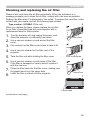
Cleaning and replacing the air filter . 105
Other care . . . . . . . . . . . . . . . . . . . 107
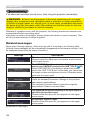
Troubleshooting . . . . . . . . . . 108
Related messages . . . . . . . . . . . . 108
Regarding the indicator lamps . . . 110
Resetting all settings . . . . . . . . . . . 113
Phenomena that may be easy
to be mistaken for machine defects . . 113
Specifications . . . . . . . . . . . . 118