1
OPERATION CONT’D
USER GUIDE
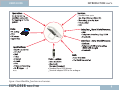
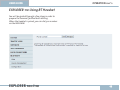
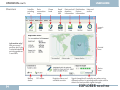
BGAN LaunchPad connected via USB
Note! Version 3.6.0 or later has to be installed on your
PC. BGAN LaunchPad is located on the User CD, and will
be installed using the EXPLORER 100&110 Suite.
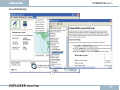
4 Select Interface (e.g. USB)
Procedure:
Connect your Terminal to the PC USB port.
1
2 Start BGAN LaunchPad.
Select Icon on your PC or
Select Start>All Programs>BGAN LaunchPad
3 Select Terminal type (e.g. EXPLORER 110)
EXPLORER 100/110
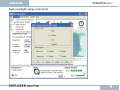
5 Select Search and BGAN LauchPad starts up.
53