1
Chapter 1: Introduction
Appendix A: Troubleshooting
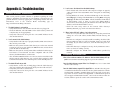
Common Problems and Solutions
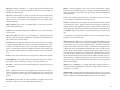
Frequently Asked Questions
28
28
29
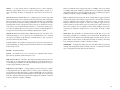
Appendix E: Glossary
33
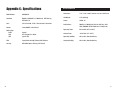
Appendix F: Specifications
Environmental
41
42
The Wireless-G Cable Gateway
Congratulations on the purchase of your Wireless-G Cable Gateway. This allin-one device has a built-in cable modem, router, and switch, which will enable
you to get connected to your high-speed Internet service through its USB,
wired, or wireless connections.
Let’s take a look at what each function can help you do:
•
The Cable Modem connects you to your the high-speed Internet connection.
•
Connect your computer to the Cable Gateway via USB, or use the built-in
4-port 10/100 Ethernet Switch and share files, printers, and play head-tohead games. Connect four PCs directly, or connect to more hubs and
switches to create as big a network as you need.
•
The Wireless capability allows you to connect PCs, game consoles, and
other devices to your home network without running cables through the
house.
•
The Cable Gateway's Router function ties it all together and lets your
whole network share one high-speed Internet connection. You can share
Internet access with up to five computers.
•
The Cable Gateway has an advanced firewall to help protect your data and
privacy by keeping Internet intruders and attackers out. Wireless transmissions can be protected by powerful data encryption.
1