1
Dear customer,
first of ali thanks far purchasing a SOUNDSATION® product. Our mission is to satisfy all
the possible needs of musical instrument and professional audio users offering a wide range
of products using the latest technologies.
We hope you will be satisfied with this item and, ifyou want to collaborate, we are looking
far a feedback from you about the operatian of the product and far passible improvements
to introduce in the next future. Go to our website www.soundsationmusic.com and send an
e-mail with your opinion, this will help us to build instruments ever closer to customer's real
requirements.
One last thing: read this manual before using the instrument, an incorrect operation can
cause damages to you and to the unit. Take care!
The SOUNDSATION Team
TABLE OF CONTENTS
UNBOXING………………………………………………………………………………………………………………………………………..…4
ACCESSORIES……………………………………………………………………………………………………………………………………....4
GENERAL WARNINGS………..………………………………………………………………………………………………………….…..…5
OVERVIEW..……………………….……………………………………………………………………………………………………………....6
FEATURES..………………………..……………………………………………………………………………………………………………..…7
SETUP……….……………………..……………………………………………………………………………………………………………..….8
MIXER CONNECTION….…..…….………………………………………………………………………………….……………..………….9
MIC/LINE INPUTS………..…..………………….………………………………………………………………….……………..………….10
STEREO LINE INPUTS….…..….………………….……………………………………………………………….……………..………….10
MASTER SECTION……….…..…………………….……………………………………………………………….……………..………….10
POWER SECTION………..…..…………………….………………………………………………………………….…………..………….10
FX SECTION……..……………...………………….………………………………………………………………….…………….………….11
BLUETOOTH SECTION..……..…..…………….………………………………………………………………….…………….………….11
REMOTE CONTROL….………..…..…………….………………………………………………………………….…………….………….11
WARRANTY & SERVICE ……..….…………….………………………………………………………………….…………….………….12
LEGAL INFORMATION & CONTACTS ……………..……………………………………………………….…………….………….13
3
UNBOXING
When you’ll open the box you will find the following items:
-
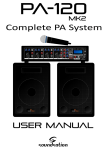
2 passive speakers with integrated mixer
2 Connection cables
1 Power Cord
1 Remote Control
User Manual
The packaging bag is not a toy! Keep out of reach of children!!!
Keep in a safe place the original packaging material for future use.
ACCESSORIES
SOUNDSATION can supply a wide range of quality accessories that you can use with the
BLUEPORT Device like Cables, Microphones, Headphones.
All the products from our catalogue has been long tested with this device so we
recommend to use Genuine SOUNDSATION Accessories and Spare Parts.
Ask your SOUNDSATION dealer for any accessories you could need to ensure best
performance of the product.
4
GENERAL
GENERAL WARNINGS
To prevent possible damages read the following list of actions:
- Do not place the instrument in wet or dirty environments.
- Do not remove the protective coverings.
-Do not cover any of the instrument’s ventilation holes.
- Air must circulate freely around the instrument.
- Do not set the instrument on a surface with excessive vibration.
- Do not expose the instrument to electro-magnetic interference.
- Do not expose the instrument to heat, cold, wet or dust.
- Do not leave the instrument in direct sunlight.
- Do not expose the instrument to electrostatic forces.
- Do not place items with flames, such as candles or lighters, on the
instrument.
- Do not place the instrument on anything containing water or other
fluids.
If any foreign objects enter the instrument, please contact your dealer or an authorized
SOUNDSATION center.
The serial number, electrical features and international standards are printed on a label
located in the back panel.
In case of problems remember to give the serial number to the responsible of the technical
assistance.
5
OVERVIEW
The BLUEPORT system is designed to be a powerful resource for live and educational
purpose. The friendly user interface is one of the best features of this product and this
allow you to configure your sound device in a fast and easy way.
The integrated 8 Channel Mixer let you plug all the microphones or instrument you need
for the entertainment thanks to the Combo inputs (XLR/Jack), the RCA or the mini-jack
interface on Ch7/8 that allows you to plug a computer (Win or Mac), a smartphone or a
portable MP3 player.
To reach the best performance BLUEPORT is equipped with a 24BIT DSP FX with up to 14
genuine effects to add to your MIC inputs choosing the amount for each Channel with the
related knob integrated in every Channel Strip.
To let the the BLUEPORT be an advanced Multimedia Station SOUNDSATION introduced in
this system the USB input to plug an USB Mass Storage as well as a BLUETOOTH device
allowing you to give a signal in WIRELESS mode with an external source (Smartphone,
Tablet, etc.)
The Remote Control let you control all the sources so you can change tracks, control the
volume or the equalization as well as play or stop the track.
6
FEATURES
2 x 100 W Class D Amplifier
2 x Bass Reflex High Efficiency Enclosures
Integrated 8 Channel Powered Mixer (4 Mono Mic/Line – 2 x Stereo Line)
Monitor & Headphone Out
IR Remote Control
24 BIT DSP FX Processor
SSD/MMC/USB Inputs
Integrated BLUETOOTH Module
15÷48 V Phantom Power
Dual Band EQ (Bass- Treble)
35mm Mounting Hole
1 x 10” LF Speaker
1 x 1,34” HF Tweeter
Maximum SPL Out 124dB
Frequency Range: 50Hz to 20KHz
AC Input 120-240 V – 50/60Hz - Fuse T2A
7
SETUP
When you’ll open the boxes you will find the 2 Speakers. Each Speaker has got a removable
back panel. In one Panel you find the Powered mixer, in the other one there is a pocket
conteining the connecting cables, the power cord, the IR Remote Control and this manual.
PRESS AND SLIDE TO OPEN
The Speakers has got the traditional mounting hole on the Bottom. We reccomend to use
SOUNDSATION SSPS-100BK or SSPS-100AL Speaker Stands.
SSPS-100AL
8
MIXER
TOP VIEW
SIDE VIEW
CONNECTION
9
Use MIC position only for
Microphones!!!
10
A.Play/Pause
Press this button to play the chosen song.Press it again to momentarily
interrupt the playing.
Press a third time to continue the reading of the song.
B.Next/Vol+
Press this button once to go to the next song.
Press and hold this button to increase the volume of the Mp3 reader.
C.Previous/VolPress this button once to come back to the previous song.
Press and hold this button to lower the volume of the Mp3 reader.
D.Repeat
Press this button once to play the current song repeatedly
E.MODE
Use this knob select the USB memory card or SD/MMC memory card or
bluetooth mode.
BLUETOOTH PASSWORD: 0000
F.Stop
Press this button to end the song.
1. PLAY/PAUSE(see 4.A.)
2. FM CHANNEL 3. FM CHANNEL +
4. VOLUME 5. VOLUME +
6. FORWARD
7. BACK
8. EQ SELECT
9. FM, USB/SD
BATTERY -The remote control unit
needs a Cr2025 button-cell battery
to operate. In case of malfunction,
always replace with the same type of
battery. Dispose properly of the used
battery for waste and recycling
purposes.
Max Distance Operation : 3 Meters
11
WARRANTY & SERVICE
All SOUNDSATION products feature a limited two-year warranty. This two-year
warranty is specific to the date of purchase as shown on your purchase receipt.
The following cases/components are not covered from the above warranty :
-
Any accessories supplied with the product
Improper use
Fault due to wear and tear
Any modification of the product effected by the user or a third party
SOUNDSATION shall satisfy the warranty obligations by remedying any material
or manufacturing faults free of charge at SOUNDSATION’s discretion either by
repair or by exchanging individual parts or the entire appliance. Any defective
parts removed from a product during the course of a warranty claim shall
become the property of SOUNDSATION
While under warranty period, defective products may be returned to your local
SOUNDSATION dealer together with original proof of purchase. To avoid any
damages in transit, please use the original packaging if available. Alternatively
you can send the product to SOUNDSATION SERVICE CENTER – Via Enzo Ferrari ,
10 – 62017 Porto Recanati - Italy . In order to send a product to service center
you need an RMA number. Shipping charges have to be covered by the owner of
the product.
For further information please visit www.soundsationmusic.com
12
WARNING
PLEASE READ CAREFULLY – EU and EEA (Norway, Iceland and Liechtenstein) only
This symbol indicates that this product is not to be disposed of with your household waste, according to the WEEE
Directive ( 2202/96/EC) and your national law.
This product should be handed over to a designated collection point, e.g., on an authorized one-for-one basis when
you buy a new similar product or to an authorized collection site for recycling waste electrical and electronic
equipment (WEEE) .
Improper handling of this type of waste could have a possible negative impact on the environment and human health
due to potentially hazardous substances that are generally associated with EEE. At the same time , your cooperation
in the correct disposal of this product will contribute to the effective usage of natural resources.
For more information about where you can drop off your waste equipment for recycling , please contact your local city
office , waste authority , approved WEEE scheme or your household waste disposal service.
Contents and images shown on this manual can be changed without any notice. Please visit our website
www.soundsationmusic.com to check latest version.
DESIGNED IN ITALY BY SOUNDSATION®
BLUEPORT USER MANUAL REV. 1.01
All the Trademarks are property of their respective owners
SOUNDSATION® is a registered trademark of
FRENEXPORT SPA – Via Enzo Ferrari, 10 - 62017 Porto Recanati – Italy
© SOUNDSATION 2013 – All rights reserved – All total or partial reproduction of this manual by any other company or
person without express authorization of Soundsation is strictly forbidden.
13






![LV 汎用配線セット[LVX-WIRE-SET] 取扱説明書](http://vs1.manualzilla.com/store/data/006561509_2-3e14a5cf653bfcb612f38c1fadadfa2d-150x150.png)