1
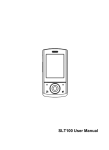
Posted facilities Switch off your phone in any facility where posted notices require you to do so. Potentially explosive environments Switch off your phone when in any area with a potentially explosive atmosphere, and obey all signs and instructions. Sparks in such areas could cause an explosion or fire resulting in bodily injury or even death. Users are advised to switch off the phone while at a refueling point (service station). Users are reminded of the need to observe restrictions on the use of radio equipment in fuel depots (fuel storage and distribution areas), chemical plants, or where blasting operations are in progress. Areas with a potentially explosive atmosphere are often but not always clearly marked. They include the areas below decks on boats, chemical transfer or storage facilities, vehicles using liquefied petroleum gas, such as propane or butane, areas where the air contains chemicals or particles, such as grain, dust or metal powders, and any other area where you would normally be advised to turn off your vehicle engine. Emergency calls This phone, like any wireless phone, operates using radio signals, wireless, and landline networks as well as user-programmed functions, which cannot guarantee connection in all conditions. Therefore, you should never rely solely on any wireless phone for essential communications like medical emergencies. To make or receive calls, the phone must be switched on and in a service area with adequate signal strength. Emergency calls may not be possible on all wireless phone networks or when certain network services and/or phone features are in use. Check with local service providers. To make an emergency call: 1. Key in the emergency number for your present location. Emergency numbers may vary by location. 2. Press the Send Key. 3. Inform your location. Do not end the call until given permission to do so. Certain features like Call Barring may need to be deactivated before you can make an emergency call. Consult this document and your local cellular service provider. Other important safety information Only qualified personnel should service the phone or install the phone in a vehicle. Faulty installation or service may be dangerous and may invalidate any warranty applicable to the device. Check regularly that all wireless phone equipment in your vehicle is mounted and operating properly. Do not store or carry flammable liquids, gases, or explosive materials in the same compartment as the phone, its parts, or accessories. For vehicles equipped with an air bag, remember that an air bag inflates with great force. Do not place objects, including installed or portable wireless equipment, in the area over the air bag or in the air bag deployment area. Improperly installed wireless equipment could result in serious injury if the air bag inflates. Switch off your phone before boarding an aircraft. It is dangerous and illegal to use wireless phones in an aircraft because they can interfere with the operation of the aircraft. Failure to observe these instructions may lead to the suspension or denial of telephone services to the offender, or legal action, or both. Qualified service Only qualified service personnel may repair your phone. It is highly recommended to have a repair service by qualified service personnel. Use only the approved accessories and batteries Special features of your phone • Touch screen Tap any application icon with your finger to open it. Press and hold icons and drag to scroll. • Camera and Camcorder Use 5 Megapix Camera with AutoFocus on your phone to take a photo or record a video. • Music player Play music files using your phone as a music player. • Bluetooth