1
novaPro32 Installation
7
IconMaker
7.2
Starting with Workbench
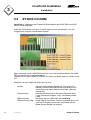
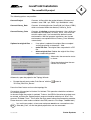
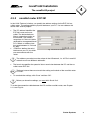
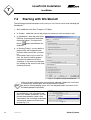
The following procedure describes how to set up a start icon for novaPro32 including the
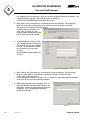
Workbench:1. Start IconMaker from Start⏐Programs⏐EY3600.
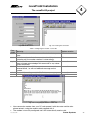
2. In ‘Project:’, select the name of the project for which you want to create an icon.
3. In ‘Workbench’, enter the path of the
DEW file associated with the project
mentioned above. This command
button:
selection.
opens the Windows file
4. In ‘Starting Picture‘, you can define a
picture which will be opened automatically when novaPro32 is started
up.
If you select ‘Alarm List as Start Picture‘, the alarm list will be opened
automatically when novaPro32 is
started up. In this case, the configuration settings of the alarm list are used
‘without password’.
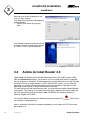
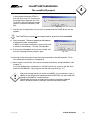
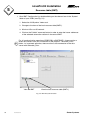
Fig. 7-1: Icon Maker: starting with Workbench
Users must have authorisation for the picture indicated. Otherwise, novaPro32
is automatically closed again after the password is entered.
No actions (acknowledging alarms, etc.) can be performed in the alarm list if it
has been opened automatically.
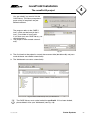
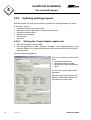
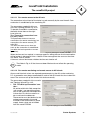
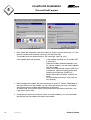
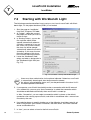
5. When operating a novaPro32 island
that establishes a link with the AS network via a modem connection, you can
choose the connection (under ‘Auto
Connection’) that should be established
automatically when novaPro32 starts
up (see Fig. 7-2).
64
7000915003 Q2
Fig. 7-2
Sauter Systems