1
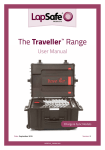
The Traveller™ Range
User Manual
Charge Only Models
Date: September 2015
Version: 2
LAPSF215_22032013V2
The Traveller™ Range - User Manual
Traveller™ SmartLine™
Charging case for netbooks
2
Copyright LapSafe® Products
The Traveller™ Range - User Manual
Contents
Page No
Section Title
Section No
4
Introduction
1
4
Important actions
2
5
Moving your Traveller™
3
6
Traveller™ eMini
4
7
Traveller™ DSi
5
Traveller™ Universal
6
11
Traveller™ SmartLine™
7
12
Warranty
8
12
Helpful links
9
12
Care & maintainance
10
13
Health & Safety
11
14
Safety declaration
12
8 - 10
Copyright LapSafe® Products
3
The Traveller™ Range - User Manual
1. Introduction
Thank you for purchasing a LapSafe® Traveller™. We have made every effort to
ensure it will provide you with many years of satisfactory use.
The LapSafe® Traveller™ will support most tablets, small laptops and
chromebooks. It has been supplied with a two metre long mains lead fitted with a
5amp fuse.
Your LapSafe® Traveller™ has been designed to be simple to use and it is ready to
receive your devices.
All our products are manufactured to a high standard and we constantly monitor
for any issues. Should you encounter any difficulties with any element of using
your LapSafe® Traveller™ we would like to know about it, so please call us on
0800 130 3456 or visit lapsafe.com
2. Important actions
Upon delivery of your new Traveller™ you must:
4
•
Take a note and store in a safe place your Traveller™’s serial number which
can be found inside your case. The silver plate will hold your serial number
that begins with TRV. You will need to quote this number for all enquiries
relating to your Traveller™.
•
Visit lapsafe.com/activate to activate your Lifetime warranty. Your warranty
will not be valid unless you do this.
•
Read the section on ‘Health & Safety’ (Section 10)
Copyright LapSafe® Products
The Traveller™ Range - User Manual
3. Moving your Traveller™
Do not attempt to move the LapSafe® Traveller™ while it is connected to a mains
supply or a host laptop or pc.
Switch off the power to the Traveller™ at the wall, unplug and stow the mains
lead. Close the lid and make sure that the latches are firmly snapped shut before
moving the case.
Unless you have the Traveller™ eMini or Traveller™ DSi, stand the case upright
onto the ‘wheel end’, release the catch to deploy the pull-up handle and gently
tip the case onto its wheels. The LapSafe® Traveller™ can now be moved to a new
location (Figure 1).
The Traveller™ eMini and DSi can simply be picked up and walked away with like a
breifcase (Figure 2).
Take care not to bump your LapSafe® Traveller™ into furniture, doorframes or
other obstacles when moving it between locations. Should any part of the
LapSafe® Traveller™ become severely damaged it should be taken out of use for
repair / replacement. Please contact us if your LapSafe® Traveller™ gets badly
damaged and we will advise on the best method of repair.
To protect the content of you LapSafe® Traveller™ SmartLine™ or Universal
when it is necessary to move it up or down stairs we recommend that it is carried
between two people using the handles on each end.
Figure 1
Pull-up handle
Figure 2
Being carried away
Copyright LapSafe® Products
5
The Traveller™ Range - User Manual
4. Traveller™ eMini
Loading your devices
Release the latches, open the Traveller™ eMini and place a device in each slot in
the foam base. Each device should be inserted with the charging socket facing the
front of the case.
It is easier to connect the charging lead as the e-reader is lowered in its slot.
Ensure that all the charging cables are safely inside the case.
Charging
Deploy the supplied mains lead and plug it into the external socket, located on
the outside left edge of the case, then plug it into a suitable wall socket.
Switch on, and the e-Reader Traveller™ will begin to charge all of the devices
simultaneously.
To indicate that the power is connected, a green LED will illuminate beneath the
ventilation holes in the power management box inside the case and the fan will
run. Most e-readers will also illuminate their own LED when charging. Please refer
to the device handbook for recommended charging periods.
The lid of the e-Reader Traveller™ can remain open or closed during charging. If
the case is closed during the charging period, there are ventilation holes in the
side of the lid. These holes and the fan must not be obstructed, and the case
should be placed in a ventilated area, rather than in a closed cupboard.
The mains lead can be stored inside the case when charging is complete.
6
Copyright LapSafe® Products
The Traveller™ Range - User Manual
5. Traveller™ DSi
Loading your devices
Release the latches, open the Traveller™ DSi, and place a device in each slot in
the foam base. Each device should be inserted with the charging socket facing
upwards, and pointing in the direction of the centre of the case.
The charging leads emerge from the base of the foam between the devices in
bundles of four, and there are two long and two short leads in each bundle. Plug
the short leads into the devices that are immediately alongside the bundle of
leads and take the longer leads over these devices to the next two.
Charging
Plug the supplied mains lead into the external socket, located on the outside left
edge of the case, and plug into a suitable wall socket.
Switch on, and the Traveller™ DSi will begin to charge all of the devices
simultaneously.
To indicate charging is in progress, a green LED will illuminate beneath the
ventilation holes in the power management box inside the case. Most devices will
also illuminate their own LED when charging. Please refer to the device handbook
for recommended charging periods.
The lid of the Traveller™ DSi can remain
open or closed during charging. If the case
is closed during the charging period, there
are ventilation holes in the sides of the lid to
allow warm air to escape. These holes must
not be obstructed, and the case should be
placed in a ventilated place, rather than in a
closed cupboard.
Copyright LapSafe® Products
7
The Traveller™ Range - User Manual
6. Traveller™ Universal
Adjusting the storage area
Before making any adjustments, the LapSafe® Traveller™ Universal MUST be
unplugged from the mains power supply and we recommend that there are no
devices or AC adapters in the storage areas.
1.
Remove the four fixing screws, two at either end, that secure the divider. Do
not lift the divider out of the case but gently slide it to its new position using
an even force at each end.
2.
If you know the required gap between the slotted foam jaws then this can be
set using a tape measure or similar implement.
3.
Alternatively you can place a device in the slot at each end to show you
where to set the divider. Allow at least 2mm between the device and the
foam jaws in order that it is easy to load and unload devices.
4.
Replace and tighten the four fixing screws to hold the divider in the correct
position.
Replace/change the slotted foam jaws
The slotted foam jaws are mounted on steel back plates.
8
1.
With the devices unloaded there are three small screws across the top of
each back plate.
2.
Remove the screws, and the back plate, complete with the slotted foam, can
be pulled up and out of the case.
3.
Offer the replacement slotted foam jaw assembly into position. There are
three tabs across the bottom of the back plate that must be guided into the
grooves while the replacement slotted foam jaw is lowered into the case
4.
Once the tabs are located the back plate can be pressed gently into position
and the three fixing screws replaced.
Copyright LapSafe® Products
The Traveller™ Range - User Manual
Loading AC adaptors
To the rear of the case, behind the adjustable storage divider is where the AC
adapters should be installed and stored.
AC adapters can be of two main types. One can be referred to as an ‘in-plug’ type
and the other as ‘in-line’ type.
In-plug type AC adapters have either a fixed or removable charging lead emerging
directly from the unit that plugs into the socket. This charging lead goes directly
to the device.
In-line type AC adapters have a power lead between the socket and the voltage
management unit and then another lead emerges from the voltage management
unit which connects to the device.
Plug each AC adapter into an available socket along the rear of the case.
Bring the charging lead to the edge of the storage divider where there are slots to
secure the lead using a cable tie (supplied with the case). Allow a suitable length
of free lead for the connector to reach the charging socket on your device and
secure the lead to the divider.
We recommend that any extra lead lengths are ‘bundled’ and cables tied to help
manage the AC adapter storage area. This is particularly relevant for the In-line
type of AC adapter which has more cables to stow than the In-plug type.
Loading devices
Place the LapSafe® Traveller™ Universal on its base and release the seven latches
to open the lid. The slotted foam jaws form individual storage positions for each
device.
Position the devices so that the charging connector is presented to the top and
towards the centre of the case and place them into the foam slots.
Plug the corresponding charging lead into each device.
Copyright LapSafe® Products
9
The Traveller™ Range - User Manual
Charging
Your LapSafe® Traveller™ Universal will charge your devices with the lid open or
closed. There are ventilation holes at both ends of the lid and the fan exhausts to
the left end of the case. None of these ventilation areas should be obstructed in
any way.
Connect the supplied mains lead into the socket on the left end of the case and
connect it to a suitable power outlet and switch on. The ON/OFF switch on the
LapSafe® Traveller™ Universal will illuminate when it is switched, to confirm that
the case is powered.
When the LapSafe® Traveller™ Universal is powered the fan will run continuously
and the power strips become live (each power strip has a light to confirm that it
is live). When under load, the indicator lights on the power strips may come on at
different times after being powered up. This is normal and indicative of the power
management system within the LapSafe® Traveller™ Universal.
We recommend that charging is carried out in an adequately ventilated area
rather than in a closed cupboard, for example, when the warm air could be
recycled and lead to unnecessarily high temperatures.
Most devices have a charge indication LED to confirm that they are charging /
charged and this will usually be visible when the lid of the LapSafe® Traveller™
Universal is open.
Wireless access point connection
The LapSafe® Traveller™ Universal is supplied with an on-board Wireless Access
Point (WAP) which is powered from the case.
To connect the WAP to your network fit a patch lead between the network socket
on the left end of the LapSafe® Traveller™ Universal and an available network
outlet. The WAP will normally require some setting up within your system in order
to function correctly. An installation disc and supporting instructions for the WAP
are shipped with each LapSafe® Traveller™.
The WAP aerials can be lifted when the LapSafe® Traveller™ Universal lid is open
but they must be lowered before the lid is closed to prevent any risk of damage.
10
Copyright LapSafe® Products
The Traveller™ Range - User Manual
7. Traveller™ SmartLine™
Loading your devices
Release the latches, open the Traveller™ SmartLine™ and place a device in each
slot in the foam base. Each device should be inserted with the charging socket
pointing upwards.
Charging
The Traveller™ SmartLine™ has been fitted with LapSafe®’s ultra-safe
preconfigured charging leads, specific to the make and model of your chosen
device. You do not require the AC adaptors that come with your devices to be
fitted into this case. Once your device is in it’s foam slot, simply plug-in your
charging cable.
Charging lights explained
Red
Batteries charging
Blue
Batteries 80% charged
Blue flashing frequently
Batteries fully charged and power is still being provided
Blue flashing slowly
Batteries charged and power supply is on standby
Purple
Checking laptops for charge request (every 60 minutes)
No light
No laptop connected
Copyright LapSafe® Products
11
The Traveller™ Range - User Manual
8. Warranty
All of our products come with a Lifetime Parts & Labour Warranty. To activate your
FREE Lifetime* Parts and Labour Warranty, please go on-line and register at
lapsafe.com/activate
9. Helpful links
Support Enquiries
www.lapsafe.com/support/enquiry
[email protected]
0800 130 3456
10. Care and maintainance
Dos
• Padlock your case when not in use (not provided)
• Read the Health and Safety guidelines in the user guide and share this
information with all users
• Activate your warranty at lapsafe.com/activate
• Unplug charging leads before taking devices out of the case
Don’ts
• Do not move the case without disconnecting the mains power
• Do not move the case with the mains lead trailing put it in the special holster
• Do not leave case in the view of a window for security
• Do not try to modify the case in anyway without contacting LapSafe® first to
check that it is safe to do so
12
Copyright LapSafe® Products
The Traveller™ Range - User Manual
11. Health & Safety
Safety is of paramount importance to LapSafe Products® and as such this section
should be read carefully.
Under no circumstances should the power management unit within the LapSafe®
Traveller™ be removed from the case, opened or modified in any way.
The condition of the mains lead and the 3-pin power plug (plugs may differ in
other countries) should be checked on a regular basis by a qualified person.
Should the mains lead become damaged, a qualified person must replace it with
a lead of equivalent rating, before using the case again. Please contact us if you
have any questions about mains lead replacement.
Care should be taken to ensure that all charging leads and connectors are fully
inside the LapSafe® Traveller™ before the lid is closed because the edges of the
case could damage them should they become trapped. Any suspected damaged
lead should be inspected immediately and replaced if necessary by a qualified
person.
Copyright LapSafe® Products
13
The Traveller™ Range - User Manual
Safety Declaration
Recent guidance from the Health and Safety Executive regarding “Laptop computer charging products safety
alert” requires interpretation from each manufacturer as regards to their product compliance. The HSE
statement can be found at: www.hse.gov.uk/services/education/safety121009.htm
CE Testing, Conformity and Declaration of LapSafe® Products
At LapSafe® Products we are proud to confirm that our electrical products, have been thoroughly tested and certified (by an
authorised and/or INDEPENDENT testing house) and accordingly have been clearly CE marked.
Full CE compliance, which includes the requirements of LVD and EMC directives, is a STANDARD FEATURE of LapSafe® Products, as
are many more “built in” safety features. CE Marking can be found on the product serial number plate, usually at the lower rear of
the cabinet. CE Declaration of Conformity Certificate is issued with each product in the User Guide Pack.
You may obtain further copies of the certificate specific to your product and serial number, or any further information and advice,
upon request to our Customer support– call direct 01787 226147 or FREEPHONE the switchboard on 0800 130 3456
or email [email protected].
Rest assured that your LapSafe® Product has been designed and built with Safety as the highest priority since we first introduced
the concept of the “mobile laptop trolley” into the UK market in the last century. This is, indeed, why we are called “Lap SAFE”.
Residual Voltage
The HSE has raised a concern (having identified at least one particular manufacturer’s trolleys with this “characteristic”) that many
manufacturers’ trolleys (if indeed not the vast majority), may have a momentary residual voltage on the pins of the mains plug and
that this could, if you touched the pins within a second or two of unplugging, result in an electric shock.
LapSafe® Products have been designed from the outset with safety internal circuitry as standard so as NOT to retain or present any
significant residual voltage in this way. In fact, it is virtually impossible to get any such significant electric shock from our cabinets
in normal use.
However, regardless of how safe any particular trolley may be, we endorse the recommendations for employing common sense
practise as a generic rule for any mobile electrical appliance, such as switching off the mains socket before unplugging the power
leads and NOT moving the trolleys without disconnecting and unplugging the power leads at both ends. Two of the wheels are fitted with locks as standard and should be kept locked as a reminder when power is connected and as a general safety rule as per
the user instructions supplied with each cabinet.
For further information call LapSafe® products on
0800 130 3456 or visit our website at lapsafe.com
*Mentor™ range from January 2010
*
LAPSF076_23052011V2
14
Copyright LapSafe® Products
The Traveller™ Range - User Manual
Traveller™ Universal
Charging case for universal devices
Copyright LapSafe® Products
15
The Traveller™ Range - User Manual
Powering
Smart Technologies
16
Copyright LapSafe® Products