1
Table of Contents
I.
COPYRIGHT & DISCLAIMER
1.
What is the AMEC AIS Viewer? ................................................................................................... 1
2.
System Requirement ................................................................................................................... 1
3.
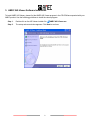
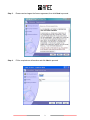
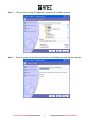
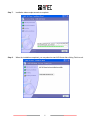
AMEC AIS Viewer Software Installation ..................................................................................... 2
4.
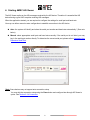
Starting AMEC AIS Viewer........................................................................................................... 6
5.
Using AIS Viewer ......................................................................................................................... 7
5.1.
5.2.
6.
Block 1: Chart ............................................................................................................................... 8
5.1.1
Radar View ......................................................................................................................... 8
5.1.2
Alphanumeric View ........................................................................................................... 10
Block 2: Main Bar ....................................................................................................................... 12
5.2.1
File.................................................................................................................................... 12
5.2.2
Edit ................................................................................................................................... 13
5.2.3
View.................................................................................................................................. 14
5.2.4
Connection ....................................................................................................................... 15
5.2.5
Config ............................................................................................................................... 16
5.2.6
Help .................................................................................................................................. 23
5.3.
Block 3: My Vessel’s Position Information ............................................................................... 23
5.4.
Block 4: Ship Details Information ............................................................................................. 24
Block 5: Ship Details Information ............................................................................................. 25
6.1.
6.2.
Vessel Information ..................................................................................................................... 25
6.1.1
Static Information .............................................................................................................. 25
6.1.2
Dynamic Information ......................................................................................................... 26
AtoN Information ........................................................................................................................ 27
Appendix How Determine Serial Port .............................................................................................. 28
II