1
filename[D:\WORKS\Mavica\3rd\3066743111\3066743111MVCFD97UC\02GBMVCFD97UC\08adv.fm]
masterpage:Right
01cov.book Page 69 Wednesday, January 17, 2001 9:10 AM
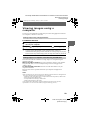
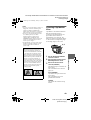
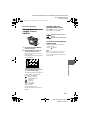
In INDEX mode
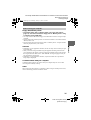
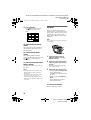
5
∗ [ALL] can be selected only when
selecting [FD t FD] or [FD t
MS].
2
1
6
When you select [SELECT]**
Select all the images to be copied
with the control button. The
mark appears on the selected
images and then select [ENTER].
∗∗ When selecting [MS t FD], the
3, 4, 5
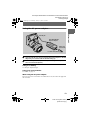
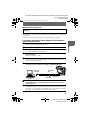
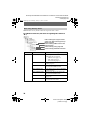
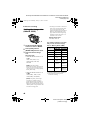
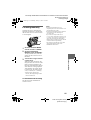
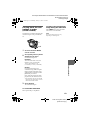
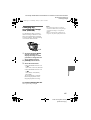
1
Select the media using the
MS/FD selector.
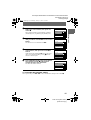
2
Set the PLAY/STILL/MOVIE
selector to PLAY, then
display the INDEX screen.
3
Select [TOOL], and then
[COPY] from the menu.
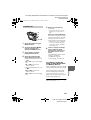
4
Select the media that the
image will be copied onto.
• When the MS/FD selector is set
to FD.
FD t FD: Copies to the floppy
disk
FD t MS: Copies to the
“Memory Stick”
necessary number of floppy disks
appears after selecting [ENTER].
Select [OK] again.
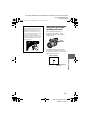
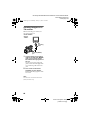
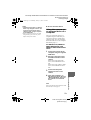
6
Insert or change the floppy
disk or “Memory Stick”
following the messages on
the LCD screen or on the
finder.
“RECORDING” appears. When
copying is completed,
“COMPLETE” appears.
To end copying, select [EXIT].
To continue copying the
image to other floppy disks
or “Memory Stick”s
After “COMPLETE” appears in step 6,
select [CONTINUE] and repeat step 6.
When selecting [MS t FD], if the
amount of total images that will be
copied is too large to copy to one
floppy disk, the images will be copied
using multiple floppy disks.
To cancel copying partway
Select [CANCEL].
69
model name1[MVC-FD97]
[3-066-743-11(1)]
B Editing
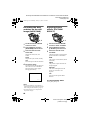
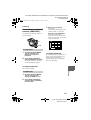
• When the MS/FD selector is set
to MS.
MS t MS: Copies to the
“Memory Stick”
MS t FD: Copies to the floppy
disk
When you select [ALL]*
Select [OK].