1
Driver Installation
Use the drivers supplied by the CD included in the adapter. For
detail description, please refer to "help" in the CD provided by
the adapter.
Troubleshooting
If you experience any problems with the adapter, first make
sure the appropriate driver is loaded, the proper cable is
connected to the adapter port and the hub complies with the
adapter specification, such as 10Mbps 10Base-T or 100Mbps
100Base-TX. Then recheck the LED.
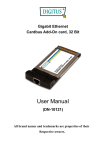
The adapter provided one LEDs to indicate network status.
LINK/ACTIVE LED
A red LED will illuminate when the card has been
successfully connected to a network and blink when data is
being transmitted or received over the network. The Link/Active
LED lights up when the Adapter is connected to a network.
When the light is blinking, it indicates that the adapter is
receiving data or transmitting data.
7