1
Configuring I/O
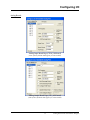
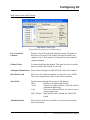
Range Type
For some boards, you can specify whether the board input is in current
or voltage. Choose ‘VOLTS’ or ‘AMPS’. NOTE: For example, if 4 to
20 milliamps of current drive the board, you would choose ‘AMPS’,
then enter 0.004 for the “Bottom Range” value, and 0.020 for the
“Top Range” value.
Bottom Range
The lowest usable value for VOLTS or AMPS for this board input. For
example, if the board input can range from 1 to 5 VOLTS, the
“Bottom Range” would be set to 1.0. If this board input can range
from 4 to 20 milliamps, “Bottom Range” would be set to 0.004. Other
ranges are possible as well.
Top Range
The highest usable value for VOLTS or AMPS for this board input. For
example, if the board input can range from 1 to 5 VOLTS, the “Top
Range” would be set to 5.0. If this board input can range from 4 to 20
milliamps, “Top Range” would be set to 0.020. Other ranges are
possible as well.
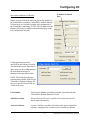
Set Actual Output
Value
When selected, this will cause a variable to be created which displays
the actual value which was written to the output pin.
Add Board Status
When selected, will cause a variable to be created to store board status
information.
Add Last Operation
Status
When selected, will cause a variable to be created to store the status of
the last conversion operation information.
Calibration Error
This is only present for certain platforms. When checked, will cause a
variable to be created to store error information. This variable will be
set to TRUE whenever there is bad calibration data in the EEPROM.
Board Time Out
This is only present for certain platforms. When checked, will cause a
variable to be created to store information about board time out errors.
Board time outs occur if there is a problem with conversion operations.
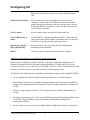
Mark All Pins Used
When checked, will activate all pins on this I/O board. They will all
appear in RED.
Configure Hold
Values
When checked, enables other fields on the page for configuring a hold
value for this pin. A hold value is the value used by the I/O card if it
detects a watchdog of the ControlWave CPU. The I/O board maintains
this value at the pin until the unit is restarted.
Update Default
When checked, allows the "User Configured Output" hold value to
15
Getting Started with ControlWave Designer