1
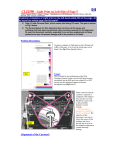
PROCEDURE: 4. Nurse’s Menu: Access the Nurse’s Menu by pressing and holding the hidden button to the left of GO when turning ON the Home Choice Pro. Confirm default settings To exit nurse’s menu turn machine OFF. KEY POINTS: ON/OFF button is located at the back of the machine. The Nurse’s Menu allows the nurse to tailor the Home Choice Pro to meet a patient’s particular needs. Nurse’s Menu: Mode: Standard/Low Fill Min drain Vol 85% Smart Dwells: defaults to YES Heater Bag Empty: NO Tidal Full Drain: defaults to YES. Change to NO Language Flush: Defaults to YES Reset Weight: defaults to NO. Change to YES Program Locked: defaults to NO Therapy Log Alarm Log For further information, refer to the Baxter 10.4 User Manual PLEASE WAIT displays on screen, followed by STANDARD MODE ON. Machine beeps x2. PRESS GO TO START appears on the display. DO NOT PRESS “GO” AT THIS TIME. Wait until step 13 to press GO. Verify program parameters prior to initiating setup. 6. Select program parameters: Press down arrow until CHANGE PROGRAM is displayed. Press ENTER. Select Program Parameters: Press ENTER to make the screen blink. Use the up and down arrows to change the parameter to the desired level Press ENTER again to stop the blinking and save the parameter. Use the down arrow to advance to the next parameter). Set the parameters for the following settings: Therapy type Total volume Therapy time Fill volume Last fill volume Dextrose (this step is skipped if LAST FILL VOLUME = 0). If using a last fill with a different dextrose concentration or a different type solution (eg. icodextrin) enter DIFFERENT otherwise leave as SAME. Weight units (lbs or kgs) Patient weight (target weight) 7. Press STOP. Home Choice Pro will calculate and display the number of cycles and dwell time. 8. Make Adjustments: Press down arrow until MAKE ADJUSTMENTS is displayed on screen. Press ENTER. Scroll to INITIAL DRAIN ALARM. Ensure that INITIAL DRAIN ALARM is set appropriately. INITIAL DRAIN ALARM must never be set to OFF to avoid increased intraperitoneal volume. Last manual drain defaults to yes, but should be set to no. It is recommended that the INITIAL DRAIN ALARM be set to 70% of the volume present in the peritoneal cavity. If the last fill amount is 500ml or less the INITIAL DRAIN ALARM may be set to 0. 5. Turn machine ON. W:\P & P\Procedures\30.80\30.80.09\Manual\30.80.09.doc Page 2 of 5