1
A MESSAGE FROM THE OWNER
WIRELESS SYSTEM SETUP & OPERATION
Thank you for choosing an Anchor Audio portable sound system. Our products incorporate state-of-the-art design and the finest
quality of materials and workmanship. We’re proud of our products and appreciate the confidence which you have shown by selecting an Anchor system.
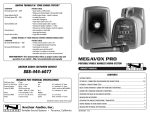
OPERATING THE WIRELESS MICROPHONE SYSTEM
The audio signal from the built-in wireless receiver is fed into the mixing bus. The wireless mic may be used simultaneously with
any of the other inputs.
I hope you’ll take a few minutes to review this manual. We’ve incorporated several unique features into our products, and your
knowledge of how to use them will enhance the performance and your enjoyment of the system.
OPERATING THE WIRELESS MICROPHONE SYSTEM:
1. Set the Wireless Level Control to minimum
2. Turn the sound system Power Switch ON
David Jacobs, President
on behalf of all Anchor Employees
GETTING STARTED
Please check your new unit carefully for any damage which may have occurred during shipment. Each Anchor product is carefully
inspected at the factory and packed in specially designed boxes for safe transport.
Notify the freight carrier immediately of any damage to the shipping box or product. Repack the unit in the original box and wait
for inspection by the carrier’s claim agent. Notify your dealer of the pending freight claim.
NOTE: All damage claims must be made with freight carrier!
RETURNING SYSTEMS FOR SERVICE OR REPAIR
For service or repair, please contact the dealer you purchased your system from or Anchor Audio Customer Service at (888) 444-6077
to obtain a RA (Return Authorization) number. All shipments to Anchor Audio must include an RA number and must be shipped
prepaid. C.O.D. shipments will be refused and returned at your expense.
IMPORTANT: Save the shipping box & packing materials,
they were specially designed to ship your unit!
WARRANTY REGISTRATION
Visit our website at www.anchoraudio.com and select “Warranty Registration”. Complete the online form to activate the six-year
limited warranty on your Seville Lectern sound system and two-year limited warranty for the CD player and microphones.
TRANSMITTER LED
FREQUENCY
CODE LABEL
3. Slide the transmitter power switch to PWR The sound system’s Transmitter LED lights to indicate
wireless signal (RF) is being transmitted and received
WIRELESS LEVEL
CONTROL
4. Adjust the Wireless Level Control to desired volume
Caution: Harmful feedback may occur when walking in front of a sound system or
speaker with a wireless microphone. Always point mic away from speakers.
USING THE MICROPHONE ON/MUTE SWITCH
When set to the “ON” position the mic operates normally. To prevent unwanted sounds from being picked up without turning the
transmitter off, move switch to “MUTE” position.
The handheld mic/transmitter comes with a protective sleeve which fits over the power & mute switches preventing accidental
movement during use. To install:
1. Unscrew battery cover
2. Slide the sleeve onto the microphone handle
3. Replace the cover
REPLACING THE TRANSMITTER BATTERY
NOTE: The transmitter power switch must be in the OFF position!
HANDHELD TRANSMITTER:
1. Unscrew battery compartment cover on the lower end of microphone
2. Install a fresh 9 Volt alkaline battery (be sure to observe proper polarity)
3. Replace the battery compartment cover
BODY-PACK TRANSMITTER:
1. Press the “OPEN” end of the battery cover, slide back and lift the cover
2. Install a fresh 9 Volt alkaline battery (be sure to observe proper polarity)
3. Replace the battery compartment cover
2
7