1
SETTING ANSWERING MACHINE RING COUNT
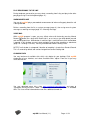
You may set number of rings to be received before myLOG answer the incoming call when
answering machine feature is active. Ring count can be set between 2 and 8 in the “Ans.
Machine Ring Count” field.
SETTING ANSWERING MACHINE RECORD DURATION
Message recording duration can be set between 30 and 120 seconds for answering machine
feature. You may select duration from “Ans. Machine Msg. Dur.” field.
DISPLAYING POP-UP
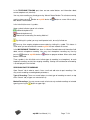
From “Show Pop-Up” check box, you may select operational mode for incoming call pop-up
feature of myLOG. If caller’s number exists in the phone book, pop-up is opened for incoming
calls. In pop-up, telephone number, name and written note is displayed.
Below are choices for pop-up;
Closed: No pop-up is opened (default).
Always Open: Pop-up remains open unless closed by user.
Automatic Close: Pop-up automatically closed after specified period (in seconds).
SETTING TELEPHONE RECORD START METHOD
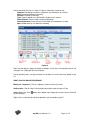
One of four activation methods is chosen from the “Record Activation Method” menu.
Current: This is default record activation method.
Unless required by special applications, this
method should not be changed. Opening and
closing telephone is displayed on program window.
Check cable connections if telephone on screen is
not opened/closed together with your telepone.
Voltage: If line current can not be detected, or line
connection is to be made in parallel, this method
can be selected for record actaivation. There is a
measurement bar and a slider to set record
activation voltage on program window.
Set slider to mid-point between voltage levels
measured when telephone is open and closed.
Voice: You may select this method when recording
from the handset of digital sets. There is a voice
level measurement bar and a slider to set record
activation voice level.
Set slider to mid-point between voice levels
measured when telephone is idle and average
voice level during conversation.
myLOG User Manual (1.1)
Page: 18 / 24