1
SiNVR Video Management
User Manual
©2014 Schille Informationssysteme GmbH
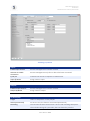
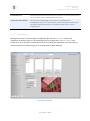
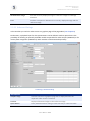
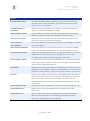
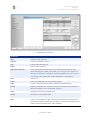
Scrambled AVI Export
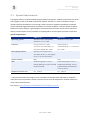
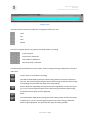
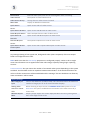
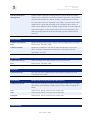
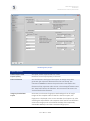
Scrambles the sequence export with the help of the key that is
registered at Server & Services. For the playback of the file, use the
seperatly obtainable VMPlayers and enter the Scramblingpassphrase.
Auto Convert Stream
Formats to AVI
Converts H.264- / MPEG4 exports automatically to AVI.
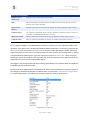
Delete after Converting
Deletes the respective H.264 / MPEG4 exports automatically after the
completed AVI conversion.
Insert Overlay Text
Embeds the information, defined under Appearance / Video Displays,
with the chosen fontsize in the output file.
Retrieval Path
Offers the optional entry of an additional retrieval path, which can be
managed via the service dialogue (see chapter 6.6).
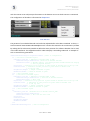
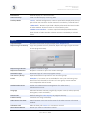
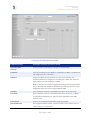
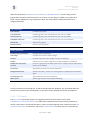
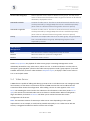
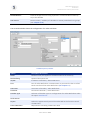
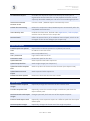
Export FTP Upload:
Enable Export FTP Upload
Exports files via the FTP protocol to a (distant) FTP server
Host
IP Address of the FTP server
Port
FTP Port (Standard: 21)
User / Password
Login data of the FTP server
Destination Path
Destination path for the data
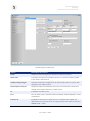
Upload AVI Files
Sends exported AVI video sequences
Upload snapshot files
Sends single images (see chapter 4.1)
Upload Crossfire Snapshot
Files
Sends snap shots of the PTZ crossfire function (see chapter 5.3.8)
Upload Externat Track
Export
Sends exported video sequences
Delete Files after Upload
Deletes the local files after the FTP transfer
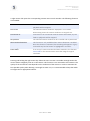
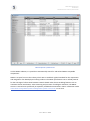
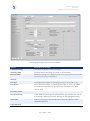
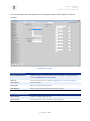
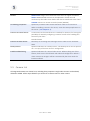
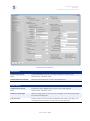
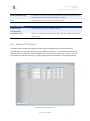
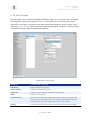
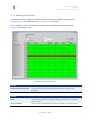
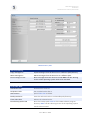
Export Options:
Resize Crossfire Snapshot
Images
Optionally changes the frame size of the crossfire shots
Crossfire Snapshot Path
Optionally, saves the crossfire images in a different path than the
export default path.
Resize External Track Export
Images
Changes optionally the frame size of the sequence exports.
External Track Export Path
Optionally, saves sequence exports in a different path than the export
default path.
Resize Snapshot Images
Optionally, changes the frame size of the single snapshots.
Seite 81 von 108