1
Disc Storage & Management
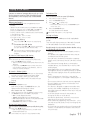
• Holding Discs
-- Fingerprints or scratches on
a disc may reduce sound
and picture quality or cause
skipping.
-- Avoid touching the surface of a disc where
data has been recorded.
-- Hold the disc by the edges so that
fingerprints will not get on the surface.
-- Do not stick paper or tape on the disc.
• Cleaning Discs
-- If you get fingerprints or dirt
on a disc, clean it with a mild
detergent diluted in water and
wipe with a soft cloth.
-- When cleaning, wipe gently from the inside
to the outside of the disc.
• Disc Storage
-- Do not keep in direct sunlight.
-- Keep in a cool ventilated area.
-- Keep in a clean, protective jacket and store
vertically.
• Condensation may form if warm air comes
into contact with cold parts inside the
product. When condensation forms inside the
product, it may not operate correctly. If this
occurs, remove the disc and let the product
stand for 1 or 2 hours with the power on.
MP3-CD Discs
• Only CD-R discs with MP3 files in ISO 9660 or
Joliet format can be played.
• MP3 file names should contain no blank
spaces or special characters (for example, . / =
+).
• Use discs recorded with a compression/
decompression data rate greater than
128Kbps.
• Only a consecutively written multisession disc
can be played. If there is a blank segment in
the Multisession disc, the disc can be played
only up to the blank segment.
• If the disc is not closed, it will take longer to
begin playback and not all of the recorded
files may play.
• For files encoded in the Variable Bit Rate (VBR)
format,( i.e. files encoded in both low bit rate
and high bit rate - 32Kbps ~ 320Kbps), the
sound may skip during playback.
• A maximum of 999 files can be played per
CD.
Supported Audio Formats
File
Extension
Disc and Format Compatibility
This product does not support Secure (DRM)
Media files.
*.mp3
CD-R Discs
• Some CD-R discs may not be playable
depending on the disc recording device (CDRecorder or PC) and the condition of the disc.
• Use 650MB/74 minute CD-R discs.
Do not use CD-R discs over 700MB/80
minutes as they may not be played back.
• Some CD-RW (Rewritable) media may not be
playable.
• Only CD-Rs that are properly "closed" can be
fully played. If the session is closed, but the
disc is left open, you may not be able to fully
play the disc.
4
English
*.wma
Audio
Codec
Sampling
Rate
Bit Rate
MPEG 1
Layer3
16KHz ~
48KHz
80Kbps ~
320Kbps
MPEG 2
Layer3
16KHz ~
48KHz
80Kbps ~
320Kbps
MPEG 2.5
Layer3
16KHz ~
48KHz
80Kbps ~
320Kbps
Wave_Format_ 16KHz ~
48KHz
MSAudio1
56Kbps ~
128Kbps
Wave_Format_ 16KHz ~
48KHz
MSAudio1
56Kbps ~
128Kbps
➣➣Does not support WMA Professional codec.
➣➣The above table shows supported sampling
rates and bit rates. Files of not supported formats may not be played properly.