1
Demo Overview
This application demonstrates a BR/EDR SPP based application as well as a custom application,
SPPLE, over Bluetooth LE that is similar in functionality to the BR/EDR appliacation. The
SPPLE Profile is similar to the SPP profile except that it uses LE transport compared to BR/EDR
transport in the SPP profile.
The SPP profile emulates serial cable connections. There are two roles defined in this profile.
The first is the server that has the SPPLE service running on it and has open an server port. The
client is a device that connects to the server. Both of these devices can then exchange data with
each other.
This document talks about the SPPLE application in details.
The application allows the user to use a console to use Bluetooth Low Energy (BLE) to establish
connection between two BLE devices, send Bluetooth commands and exchange data over BLE.
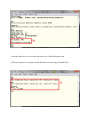
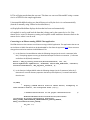
The first part of this document explains how to connect to two STM3240G boards over SPPLE
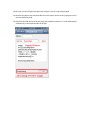
and transfer data. The second part talks about how to connect the STM3240G to an iPhone
application.
Running the Bluetooth Code
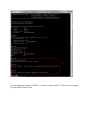
Once the code is flashed, connect the board to a PC using a serial cable (or serial or to USB
converter). Once connected, wait for the driver to install. Attach a Terminal program like Tera
Term to the serial port x (the serial port you connected your hardware to) for the board. The
serial parameter to use is 115200 Baud, 8, no, 1, no flow control. Once connected, reset the
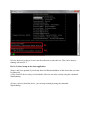
device using Reset button (located next to the display and you should see the stack getting
initialized on the terminal and the help screen will be displayed, which shows all of the
commands.