1
User Manual
INSTALLATION
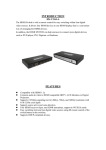
Connect the HDMI cables from the HDMI source devices to the HDMI switch inputs.
ON/OFF
Connect the HDMI cable from your display ( monitor or projector ) into the HDMI
switch output.
Direct
input select
Plug the 5V DC power supply into the HDMI switch.
Select the desired input as follows:
® From the switch front panelNext/Previous
input select
Press the "Input Select" button repeatedly until the desired input is selected.
To switch off HDMI switch, press "Input Select" button on HDMI switch panel for 4
seconds. To switch on, simply press "Input Select" button.
<§> From the remote control-
1. Open remote control cover and the batteries package
2. Install the batteries into the remote control
+SVIN
HDMI Out
HDMI 4
HDMI 3
HDMI 2
HDMI 1
3. Press the desired input button to go directly to the desired input (1-2-3-4 ) • or
4. Press the "< " or " ► " button to select the previous / next input.
Input indication
IR Receiver
Power
Input Select button