1
Direct Data Entry (DDE) User Manual
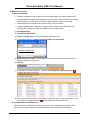
17. Reports
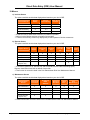
• The PAA Administrator and PAA Operator Roles can display all Passport and Choices invoices and
Choices Provider List for their site. The PAA Administrator and PAA Operator Roles must work on
behalf of a provider to display the Consumer List, Services List and to Download EDI reports. The
PAA Administrator can view usage stats.
• The Fiscal Intermediary Role display is limited to Choices reports and Choices consumer, service
and provider lists.
• The Provider Operator Role display is limited to their authorized location(s).
• The Provider Operator Reports Only Role display is limited to Download EDI Reports for their
authorized location(s).
Reports Screen
PAA Administrator
Invoice
Report
Consumer
List
Services
List
Choices
Provider
List
Download
EDI
Reports
Usage
stats
X
X
X
X
X
X
X
PAA Operator
X
X
X
X
Fiscal Intermediary
X
X
X
X
Provider Operator
X
X
X
Provider Operator
Reports Only
X
X
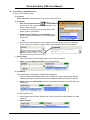
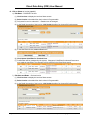
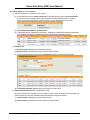
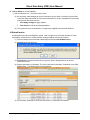
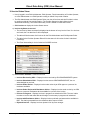
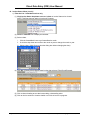
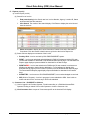
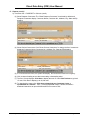
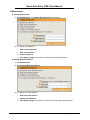
a) Invoice Report
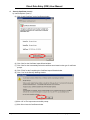
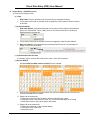
(1) Click Reports. A list of invoices displays showing Invoice Number, Provider name, Provider
Location ID, Status, Inv Received Date, Details Lines and Invoice Total. The options available
on this screen are based on your role in DDE.
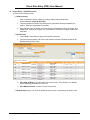
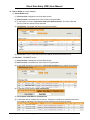
(2) Click a column heading to sort data in ascending or descending order.
(3) The first 30 rows displays. Click Next to display the next 30 rows. Click Previous to go back 30
rows.
Created by The Ohio Department of Aging, 02/26/2010, Rev. 8
Page 25 of 33