1
Technical Bulletin
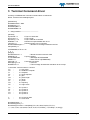
[Attribs]
UserAttribs = 1
@tr.dev.LinkCompsFromDevice = 19, 1
LinkComps = 0
@tr.dev.preset.7kFrequency = 0x403, 1
// Frequency: 0 = 200 kHz, 1 = 400 kHz
@tr.dev.preset.7kRange = 0x403, 25
// Preset 1: Range 25 m
@tr.dev.preset.7kMaxPingRate = 0x403, 50
// maximum Ping rate = 0 - 50 p/s
@tr.dev.preset.7kPower = 0x403, 170
// Power = 170 - 205 dB
@tr.dev.preset.7kGain = 0x403, 40
// Gain = 0 - 83 dB
@tr.dev.preset.7kPulseLength = 0x403, 0.000033
// Pulse length = 0.000033 - 0.003 s
3.1 Commands
In the ‘Terminal command’ driver the following commands are defined with its checksum:
Command
Description
Checksum
C
Stop Sonar
2B
D
Shutdown the computer
2C
J
Take a snapshot
22
K
Show snapshot
23
L
Modify sonar Gain
24
M
Modify sonar pulse length
25
N
Modify sonar range
26
P
Modify sonar power
38
Q
Modify sonar frequency
39
R
Modify PDS2000 light mode
3A
A
Set sonar preset 1 values
29
E
Set sonar preset 2 values
2D
F
Set sonar preset 3 values
2E
G
Set sonar preset 4 values
2F
H
Set sonar preset 5 values
20
-
Decrement or previous value
45
+
Increment or next value
43
These commands must be received by the in section 2.1 defined protocol.
E.g. To stop the sonar the message $TERMCMD,C*2B<CR><LF> should be received. (With ‘C’ as the
Stop Sonar command)
For the modes; show snapshot, gain, pulse length, range, power, frequency and light mode the setting
could be changed after the mode is set with the ‘+’ or ‘-‘ command. See section ‘Operational example’ for
an example.
Terminal command device description
Page 7