1
Net.DO
Lighting Control Equipment Co.,Ltd
http://www.netdo.com.cn
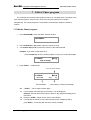
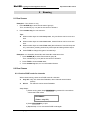
5. Use number keys (1~15) to select intelligent Fixtures; use Manual mode, set the
Channel values of all the intelligent Fixtures. (Shape generator can be used as well)
6. Repeat steps 4~5, edit next Chase Step.
7. Press PROGRAM, escape from edit state.
(or repeat step 2~6 to edit another Chase program)
Tips:
z
When press STEP + to add a Chase Step, the system will add a Step after the
former one, and copy the content of the former one. Thus, only with some
changes of values, a new content is edited.
z
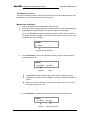
Use COPY to copy the current Step into another Step
Example: copy Step 1 into Step 8;
Choose Step 1, Pressing COPY and choose Step 8, done.
z
Press DELETE to delete current Step. (pressing the button without loose can
continuously delete several Chase Steps)
MAX512 Moving Light Controller.
PAGE: 19