1
Managing Your Time 79
Synchronize Exchange ActiveSync Calendar
If you have set up a Microsoft Exchange ActiveSync account on your phone, you can
also synchronize Exchange ActiveSync calendar events on your phone. Calendar
events on your Exchange ActiveSync will also show in Calendar if you chose to
synchronize with the Exchange ActiveSync Server.
To check if Exchange ActiveSync items are set to be synchronized, go to the Home
screen and press MENU and then touch Settings > Data synchronization >
Exchange ActiveSync.
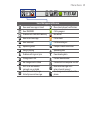
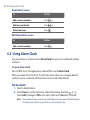
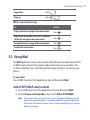
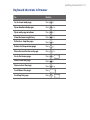
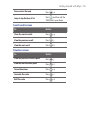
Keyboard shortcuts in Calendar
On any Calendar view
To
Do this
Create a new event
Press
+n
Go to today’s calendar
Press
+t
Switch to Agenda view
Press
+a
Switch to Day view
Press
+d
Switch to Week view
Press
+w
Switch to Month view
Press
+m
Open highlighted event details
Press
Edit highlighted event details
Press
Remove highlighted event
Press
+e