1
TGH1408en/07.2009
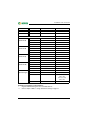
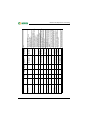
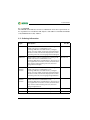
int. / int. + ext.
----
--
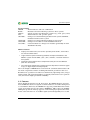
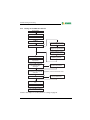
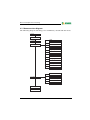
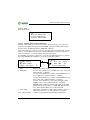
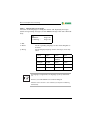
Reset mode
History memory
Reset counter
--
--
y/n
nnn
Password
1..99 (1..150)
19800.. 57600
(9600)
Function,
operating mode
On/Off
On/Off
Password prompt
Relay
RS-485 settings
Address ext. (int.)
Baud rate ext. (int.)
Interface
RS-485 intern
RS-485 extern
German /
English
auto / off
Clock / date /
S/W-Time
Language
y/n (y/n)
(0),1..9
Range
Common reset int. (ext.)
Buzzer (and LED)
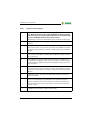
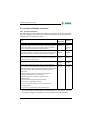
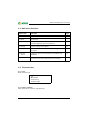
Parameter
Name
--
--
--
--
int.
807
y
1 (1)
57600
on
on
auto
y (j)
6/8
Factory
setting
--
--
--
--
User
setting
--
--
--
--
5.5
4.12
4.12
4.11
4.10
4.10
4.9
4.8
4.7
4.6
(preset only)
Setting via
MK800
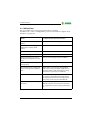
Menu item
5. BI800-In/BMIxx-Out
3 Reset counter
3.2. Clear Reset Count.
4. Digital IN/Taskbits
2.2 History clear
--
--
--
---
--
--
--
--
--
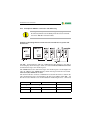
MK800
Service menu
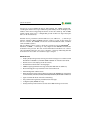
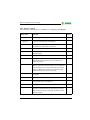
Setting of the 1st dig. output resp. relay function: test /
device error / common alarm / device failure /
programmable
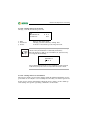
Activate/deactivate password prompt
Settings for the ext. (and int.) BMS bus.
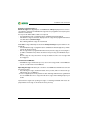
The address of the int. Interface can only be set when
the ext. Interface has been switched off.
Switch off unused external interface
Parallel panel: faster communication external
Single panel: faster communication internal
Setting of the menu language
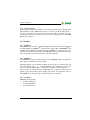
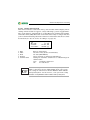
Setting of frequency 1, 2, buzzer and LED interval for
ALARM and WARNING, selection of predefined
messages (preset)
Setting if it should be possible that alarm
acknowledgements mute the buzzer on parallel displays
connected via the int. (ext.) BMS bus.
Setting time and date /
automatic CEST summertime/wintertime on / off
Note
--
Reset mode
int./ int. and ext.
History memory
reset
Reset counter
reset
--
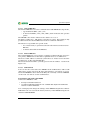
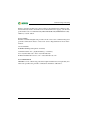
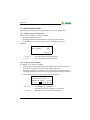
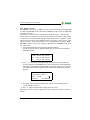
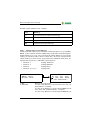
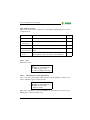
a) Test of single outputs: Set the number of the output.
b) Indication of the buttons in depressed position.
Indication and reset of Power-Down, Watchdog and
External counter
Indication of the digital input states and tasks
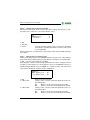
Clear all data records in the history memory
Determine the effect of the RESET command via BMS
Change password Enter / change the password
Password prompt
Digital
output 1
RS-485 settings
RS-485 settings
External
Internal
Time of day /
date / CEST
automatic
Language
Buzzer mute via
int./ext. BMS bus
Signal settings
TMK-SET
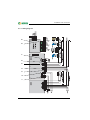
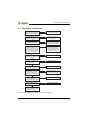
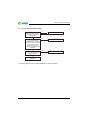
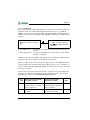
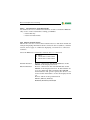
Parameter menu
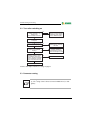
Menu mode: Operation and setting
79