1
User’s Manual of WNAP-1110
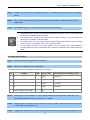
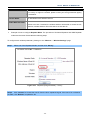
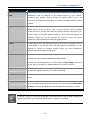
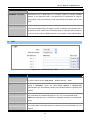
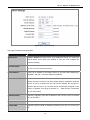
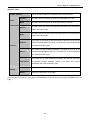
Key Type
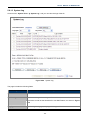
You can select the WEP key length (64-bit, or 128-bit, or 152-bit.) for encryption.
"Disabled" means this WEP key entry is invalid.
64-bit
You can enter 10 hexadecimal digits (any combination of
0-9, a-f, A-F, zero key is not promoted) or 5 ASCII
characters.
128-bit
You can enter 26 hexadecimal digits (any combination of
0-9, a-f, A-F, zero key is not promoted) or 13 ASCII
characters.
152-bit
You can enter 32 hexadecimal digits (any combination of
0-9, a-f, A-F, zero key is not promoted) or 16 ASCII
characters.
If you do not set the key, the wireless security function is still disabled even if you have selected
Shared Key as Authentication Type.
B.
WPA/WPA2 – Enterprise
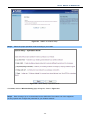
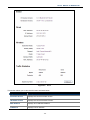
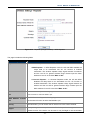
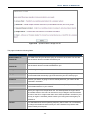
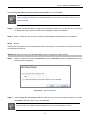
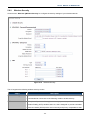
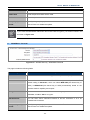
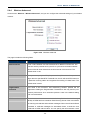
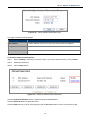
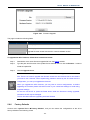
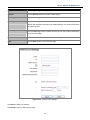
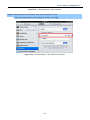
Figure 5-43 Wireless Security - WPA/WPA2 Enterprise
The page includes the following fields:
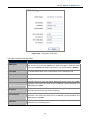
Object
Description
WPA/WPA2
It is based on Radius Server.
Version
You can choose the version of the WPA security on the pull-down list. The default
setting is Automatic, which can select WPA (Wi-Fi Protected Access) or WPA2
(WPA version 2) automatically based on the wireless station's capability and
request.
Encryption
You can select either Automatic, or TKIP or AES.
-62-