1
Chapter 3 Audio Expert System User Guide
Audio Expert System Reference & User Guide
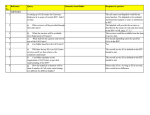
Table 3.7 - Wave Panel Pop-up Menu Selections (continued)
Option
Description
Select Area
When the mouse cursor is positioned over data (not
fill, pause, or gaps) in the Wave Panel and selecting
this option will select all the data between and fills,
pauses, or gaps.
Select All
Selects the entire waveform
Event Table Pop-up Menu Actions
Right-clicking in the Event Table will provide you with a
selection of the following actions.
Table 3.8 - Event Table Pop-up Menu Selectioin
Options
Description
Copy
Copies the selected events to Windows clipboard as
text.
Clear Selection
Clears the current event selection in the table
Export Event Table
Copies the current event selection and saves it as a
.csv file. For additional details on exporting refer to
Event Table Export.
Loop
Loops through the audio selected on the Wave Panel.
Zoom to Selection
Expands the Event Table selection to fill the Wave
Panel view.
Select Area
Expands the selection.
Select All
Selects all events.
3.2.4.1 Export Audio Data
There are two ways to export audio data:
1. Clicking the Audio Expert System window Global Toolbar Export button
.
2. Right-click in a Stream Panel Wave Panel and a pop-up menu will appear. Select Export .
- 45 -