1
ENG
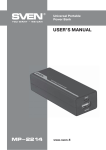
Universal Portable
Power Bank
• By long press button c the flashlight a lights up.
Note. For the purpose to decrease the charging time it is recommended to charge the power
bank from an external charger with the output current not less than 1 А. The charging time of
the power bank increases, when charging via a computer USB port.
Attention!
• When using the portable power bank with cables containing built-in electronic circuits
(cables of Apple Lightning type) the portable power bank can go to sleeping mode due to small
current consumption on its output. Therefore, it is recommended to charge devices using
cables of such type in the following order:
1. Connect the cable to a device being charged.
2. Connect the other cable end to the output of the portable power bank.
3. The charged device must be disconnected in the reverse sequence.
• If the portable charger has gone to the sleep mode and the device being charged by it is not
powered, press the battery charge level test button. The charger will restore its operation.
8. TROUBLESHOOTING
Problem
Cause
Solution
A mobile device has
been connected to the
power bank, but the
device is not charged.
1. The power bank is discharged.
1. Check the charging level,
charge the power bank again.
2. There is no contact in connectors
of the device connected or the
portable power bank.
2. Correct connectors.
3. Not fully charged.
3. The power bank degradation,
purchase a new one.
4. The device malfunction.
4. Contact the service centre.
If none of the above methods can solve the problem, please seek professional advice at your nearest
service center. Never attempt to repair the product yourself.
4