1
Chapter 1: Introduction
Chapter 1: Introduction
Section 1. Features
WebCAM is a compact stand-alone web-server capable of remote video
surveillance. It can be accessed from anywhere in the world via a standard browser
by entering the IP, account and password. Each system can simultaneously support
any two combinations of USB PC cameras be it regular, infrared or pan-tilt. With its
built-in web-server, WebCAM can stream video images directly to the Internet without
have to go through a computer. WebCAM features a Windows-based software that
allows the user to archive streaming video directly into the hard-drive. The same
software also allows the user to monitor multiple cameras on one screen.
Features:
• Built-in Web Server
• 10/100Mbps Fast Ethernet Network Access
• Support Any Java-Enabled Web Browser
• LCD display shows the IP address, Subnet Mask and Gateway
• 32-Bit RISC CPU
• 1MB Flash Memory
• 8MB Dynamic Memory
• Support Up to 30 Remote Viewers for each camera
• Allow Up to 8 User Accounts and Passwords
• 5.3VDC 1A Maximum
• Operating Temperature: 0°C ~ 60°C
• Operating Humidity: 10% ~ 90%
• Dimensions: 48mm x 63mm x 21m
• Weight: 75g
• For Indoor Use. Protective housing required for outdoor use.
• Network Protocol: HTTP, TCP/IP, UDP, SMTP, PPPoE, Dynamic DNS, DNS
Client, SNTP, BOOTP, DHCP, FTP, SNMP
• Support All USB PC Camera with VIMICRO ZC0301 Plus processor built-in
• Resolution available: 640x480 (VGA), 352x288 (CIF), 320x240 (QVGA),
176x144 (QCIF), 160x120 (QQVGA).
• Frame Rate: Up to 15fps in 640x480, Up to 20fps in 320 x 240.
• Motion JPEG streaming video
• 2 USB Ports for PC Cameras
• USB 1.1 & 2.0 compliant
• Can combine with two different PC cameras
• Support Pan/Tilt and Infrared USB PC Camera
Section 2. WebCAM as a Remote Surveillance System
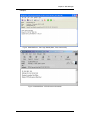
Once WebCAM is installed, the user can check any of the connected PC cameras
using a standard web browser. The user can monitor and control these cameras
simply by entering the IP address of the WebCAM into a Web Browser from
WebCAM user manual
-1-