1
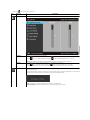
 Gamma
Allows you to set the color mode to PC or MAC.
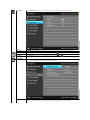
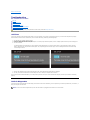
Preset Modes
When you select Preset Modes, you can choose Standard, Multimedia, Movie, Game, Text, Color Temp. or Custom Color from the list.
l
l
l
l
l
Standard: Loads the monitor's default color settings. This is the default preset mode.
Multimedia: Loads color settings ideal for multimedia applications.
Movie: Loads color settings ideal for movies.
Game: Loads color settings ideal for most gaming applications.
Text: Loads brightness and sharpness settings ideal for viewing texts.
l
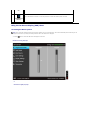
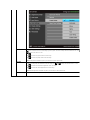
Color Temp.: Allows you to manually adjust the color temperature. Press the
and
buttons to adjust the values. The
screen appears warmer with a red/yellow tint when you set the slider at 5000K or cooler with a blue tint when you set the slider
at 10000K.
l
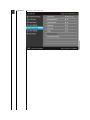
Custom Color: Allows you to manually adjust the color settings. Press the
B) values and create your own preset color mode.
and
buttons to adjust the three colors (R, G,