1
Zone Bypassing
The zone bypassing function is used when access is needed to part of the protected area while the
system is armed. Zones which are temporarily out of service due to damaged wiring or contacts may
be bypassed to allow system arming until repairs can be made.
Bypassed zones will not cause an alarm. Zones cannot be bypassed once the system is armed.
Bypassed zones are automatically cancelled each time the system is disarmed and must be reapplied
before the next arming.
NOTE: For security reasons, your installer may program the system to prevent you from
bypassing certain zones.
Bypassing zones reduces your security protection. If you are bypassing a zone due to damaged
wiring or contacts, please call a service technician immediately so that the problem can be
resolved and your system returned to proper working order.
Make sure that no zones are unintentionally bypassed when arming your system.
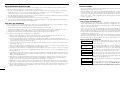
To bypass zones from an LED keypad:
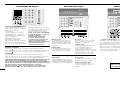
Start with the system in the Ready state. Enter [✱][1][Zone(s) to be bypassed].
Enter the zone(s) as a two-digit number from 01 to 08. As each zone is bypassed, the corresponding
zone light will turn ON. If a zone is bypassed by mistake, enter that zone number again; the zone light
will turn OFF, indicating that the zone is not bypassed. Press [#] to return to the Ready state.
To bypass zones from an LCD keypad:
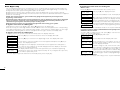
To bypass a zone, the system must be in the Ready state. The display will read...
Enter Code to
Arm System
Press the [✱] key to enter the functions menu. The display will read...
Press (*) for <> Press the [✱] key to enter the zone bypassing mode. The display will read...
Zone Bypass
Zone Search
“Zone Name”
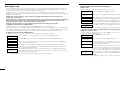
<> Use the arrow (< >) keys to find the zone to be bypassed and press the [✱] key to
Zone Search
“Zone Name”
<> “B” will appear on the display to show that the zone is bypassed. To unbypass a
B zone, enter the zone number; the “B” will disappear from the display to show that
select it. The display will read...
the zone is no longer bypassed.
Zone Search
“Zone Name”
<> This display will be shown if a zone was open when you entered the bypassing
O command. The open zone will be represented by “O”. If you bypass the open zone,
the “O” will be replaced by a “B”.
To exit the bypassing mode and return to the Ready state, press the [#] key.
10
Programming codes from an LCD Keypad:
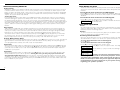
Master Code
Press the [✱] key to enter the function list. Scroll (< >) to...
Press (*) for <> Press [5] or [✱]. The display will read...
Access Codes
Enter Master
Access Code
Enter your current Master Code. The display will read...
(*) to Edit <> “40P” represents the Master Code. Press the [✱] key to indicate that you wish to
User Code
40P program the Master Code. The display will read...
Enter New Code Enter the new Master Code. The Master Code must be four digits unless otherwise
1234
<> indicated by your installer. Enter digits 0 through 9 only. Once the new code is
entered, the keypad will beep 3 times and the display will read...
(*) to Edit <> Press [#] to exit the code programming function.
User Code
40P
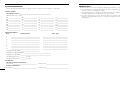
Be sure to record your new Master Code on the “System Information” page in this booklet. NOTE: We
recommend that the factory default Master Code [1234] not be used.
Additional Access Codes
To erase, add or change a user code, press [✱] to enter the functions list. Use the arrow (< >) keys to
scroll to the following message...
Press (*) for <> Press [✱]. Display will read...
Access Codes
Enter Master
Access Code
Enter the Master Code. Display will read...
[*] to Edit <> Use the scroll keys (< >) to find the access code – indicated by “02P” to “32P” –
User Code
01P you wish to add, change or delete. Press the [✱] key to select the code you wish to
Enter New Code alter. The display will read...
1234
<> To add or change a code, enter the new code. Access codes must be four digits
unless otherwise indicated by your installer. Enter digits 0 through 9 only. To delete
an access code, enter [✱]. Once the 4 digit code or [✱] has been entered, the
keypad sounder will beep 3 times and the display will read...
[*] to Edit <> The “P” means the code has been programmed. If there is no “P” then that code is
User Code
01P deleted. Press [#] to exit the code programming function. The Master code cannot be
erased.
Remember to record your new code(s) on the “System Information” page in this booklet.
7