1
DOWN ARROW
Changes items appearing in the display. Scrolls down.
RUN STOP
From the menu or view modes, pressing this key starts or stops the run
mode. Pressing this key will exit the setup, print or reset modes.
6. DISPLAYED ITEMS
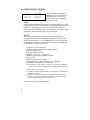
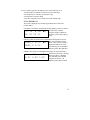
For the QUESTemp°36, the number in
the upper right corner indicates which
sensor bar’s data is displayed. 1
indicates the sensor bar placed on (or
attached to) the top of the instrument. Sensors 2 and 3 are labeled on the side of
the unit. W indicates the weighted average which only appears if a WBGT is
displayed and all three sensor bars are attached. An asterisk in the lower right
corner indicates that the unit is in the run mode and is logging data.
WET
DRY
80.5°F ►1
92.2°F *
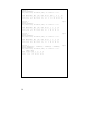
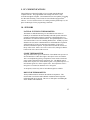
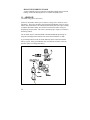
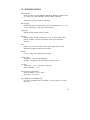
The following measurements can be accessed on the display:
Screen 1:
WET (WET BULB)
DRY (DRY BULB)
Screen 2:
GLOBE
Screen 3:
WBGTi (WBGT INDOORS)
WBGTo (WBGT OUTDOORS)
Screen 4:
RH (Relative Humidity)
H.I. or HU (Heat Index or Humidex)
Screen 5:
AIR FLOW (If turned ON through setup)
Screen 6:
STAY TIME DATA
Screen 7:
TIME (24 hour format)
DATE
Screen 8:
BAT (Battery voltage)
MEM (Logging memory available in days)
10