1
Control Panel
1
No
2
5
4
3
Name
Operation
Light up when power on
1
LCD Display
Selected paper size and counter indicate when
power on
Option menu indicate when press the Menu button
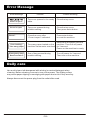
Error message indicate when error occur
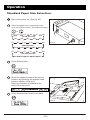
Press the button to change the size of standard
paper
2
Scroll up button
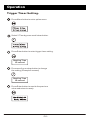
Press the button to select the options of menu
Press the button to change the size of non standard
paper under option menu
Press the button to change the size of standard
paper
3
Scroll down button
Press the button to select the options of menu
Press the button to change the size of non standard
paper under option menu
Press the button to enter the revised setting
4
Enter button
Press the button to confirm the setting finished
Press the button to return to standby mode
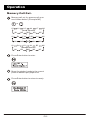
Press the button to enter the option menu
5
Menu button
Press the button to escape from the option menu
P.8