1
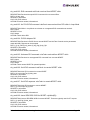
Installation ...............................................................................................1
Driver Information .................................................................................................... 1
Supported Features........................................................................................... 1
New Features in this Release............................................................................ 1
Prerequisites ..................................................................................................... 2
For the lpfc Driver Kit .................................................................................. 2
Compatibility...................................................................................................... 2
Things to Know Before You Download .............................................................. 2
Known Issues .................................................................................................... 3
Installing the Driver Kit ............................................................................................ 4
Driver Kit Install Script Options.......................................................................... 5
Driver Kit Directory Structure ............................................................................. 5
Installing the Driver on Unsupported Linux Distributions.......................................... 5
Upgrading the Kernel or Applying a Distribution Service Pack or Update ................ 6
Installing the Driver Kit into an Upgraded Kernel ............................................... 6
Installing the Utilities and the Application Helper Module......................................... 7
Prerequisites ............................................................................................... 7
Procedure ................................................................................................... 7
Utilities Directory Structure.......................................................................... 8
Installing the HBAnyware Utility with Web Launch............................................. 8
Prerequisites ............................................................................................... 8
Procedure ................................................................................................... 8
Installing the HBAnyware Security Configurator ................................................ 9
Prerequisites ............................................................................................... 9
Procedure ................................................................................................... 9
Installing HBAnyware and the Application Helper Module using the Upgrade
Kernel Option .................................................................................................... 9
Prerequisites ............................................................................................... 9
Procedure ................................................................................................... 9
Uninstalling the Driver Kit ................................................................................ 10
Uninstalling a Previous Application Helper Module
(Stand Alone Kit) ............................................................................................. 11
Uninstalling the Utilities ......................................................................................... 12
Uninstalling the HBAnyware Security Configurator.......................................... 12
Uninstalling HBAnyware Web Launch only...................................................... 12
Uninstalling HBAnyware and the Application Helper Module........................... 12
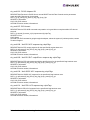
Configuration ........................................................................................13
Driver Configuration Methods Using modprobe and
/etc/modprobe.conf.......................................................................................... 13
Temporary Configuration Method .............................................................. 13
Persistent Configuration Method ............................................................... 14
Temporary Driver Configuration by Read/Write to sysfs .................................. 14
Creating a New Ramdisk Image ...................................................................... 15
For Installed lpfc Driver Kits ...................................................................... 15
For Distribution In-Box lpfc Drivers............................................................ 15
Dynamically Adding LUNs and Targets............................................................ 15
Driver Parameters Reference Table ................................................................ 16
Using udev for Persistent Naming ................................................................... 19
Driver for Linux - User Manual
Page iii