1
HCS-3100/3150/3200/3300/3400/3600 series
Laboratory Grade & High RFI Immunity Switch Mode Power Supply with Rotary Encoder Control
User Manual
1. INTRODUCTION
This series of efficient, state-of-the-art Switch Mode Power Supplies (SMPS) feature a small form factor, automatic
crossover between Constant Voltage (CV) and Constant Current (CC) modes, three voltage and current presets (for
quick access to frequently used settings), remote on/off and remote analogue control of both voltage and current. In
addition the HCS-310x, HCS-3150, HCS-320x and HCS-3x00-USB series have a USB port for control of the Power
Supply by computer using the supplied PC software or user-written application software under Windows, Linux or on
the Mac under OSX.
The power supplies also feature dual action (coarse/fine) rotary encoders with a micro-control unit (MCU) making
setting the voltage and current levels smooth, precise and quick. A new feature with this range of power supplies is the
precise setting of the current limit without requiring the output terminals to be short circuited.
The HCS series power supplies are suitable for a wide range of applications in the laboratory and in research, servicing,
telecommunications, production, field testing and in manual and automated control of a wide range of high power DC
devices.
2. WARNING
•
•
•
•
•
•
•
Do not use the power supply near water.
Do not operate or touch the power supply with wet hands.
Do not open the casing of the power supply when it is connected to ac mains.
Refer all servicing to qualified service personnel.
Before replacing the AC fuse located at the AC mains input socket, rectify the cause first.
Replace the AC fuse only with the same type and rating as the original.
The maximum voltage of some models is over 60VDC. Avoid touching the output terminal metal contacts!
3. CAUTION
•
•
•
•
•
•
•
•
Always use a grounded three pin (earthed) AC source.
The unit is for indoor use only.
Do not operate or place the unit in a humid, dusty, in direct sunlight location or near any heat source.
Before plugging into the AC mains plug, check the rating label on the back of the unit.
Do not block any ventilation openings or fan outlets on the unit
The unit must be used within the specified rating. Exceeding the maximum voltage or current specification loading
may cause damage to the power supply.
The gauge size of the input power cable must be at least 0.75mm2 and the total length of power cable must not
exceed 3m.
Always use the supplied USB cable with ferrite core when using computer control. Always disconnect the USB
cable when not in use.
4. ENVIRONMENTAL CONDITIONS
•
•
•
•
•
•
0~40°C Operating Temperature
10~80% Relative Humidity
Altitude up to 2000m
Installation category: CAT 2
Pollution degree: 2
Mains supply voltage fluctuation up to ±10% of the normal voltage
www.procontechnology.com.au
Phone: (03) 98306288
FAX: (03) 98306481
5. CONTROLS AND INDICATORS
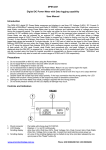
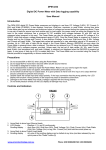
Front
Rear
(1)
(2)
(3)
(4)
(5)
(6)
(7)
(8)
(9)
(10)
(11)
(12)
(13)
(14)
LED panel meter V and A display (Volts and Amps) with CC/CV Indicators
Rear Control Indicator (lights up when using Preset, Remote Control or Set modes)
Output Voltage Control Knob (press to toggle between course and fine adjustment)
Output Current Control Knob (press to toggle between course and fine adjustment)
Power ON/OFF Switch (I=on, O=off)
Auxiliary output terminal (max 5A protected by resettable fuse)
Output Terminals (red=positive, black=negative)
Remote Voltage Sensing Terminals (HCS-3600 only)
Mode Selection Switch (Normal, Preset, Remote Control, Set Modes)
Preset Recall Selection Switch (P1, P2, P3)
Remote Control Socket (controls Voltage and Current settings and output on/off)
Cooling Fan Air Exhaust Outlet and Grill
AC Mains Input Socket and Fuse (standard IEC 3 pin socket with earth connection)
USB port for remote computer control (HCS-310x, 3150, 320x and USB series only)
www.procontechnology.com.au
Phone: (03) 98306288
FAX: (03) 98306481
6. CONTROL MODE SELECTION
There are four modes, Normal, Preset, Set and Remote Control modes for the power supply.
Slide the Mode Selection Switch (9) to your desired Mode.
The power supply is factory set to Normal Mode with maximum voltage and current levels. Note, Procon Technology
sets the voltage to the minimum value and it is suggested that this should be done to ensure safe operation!
6.1 Normal Mode
The power supply output voltage and current are controlled by the front-panel dual action controls.
Push each knob to toggle between coarse and fine adjustment, notice the subtle changes in brightness of related
LED display.
Adjust the control to your desired value by using the coarse and fine tuning.
To check the preset voltage or current limit, just turn the Current Knob lightly one step in any direction.
The display will resume its normal brightness after a few seconds once the adjustment is complete.
6.2 Preset Mode
a. In this mode, the Rear Control Light is turned on to indicate the front panel V and I controls are de-activated.
b. There are three preset outputs P1/ P2/ P3 at the Recall Selection Switch (10)
c. The preset values are factory set as shown in the following table.
d. The user can select the preset values. Refer to section 6.3
Recall No.
Output Voltage
Output Current
P1
5V
Maximum
P2
13.8V
Maximum
P3
HCS-3x00: 15V*
Maximum
HCS-3x02: 25V
HCS-3x04: 55V
*The HCS-3150 is also set to 15V.
6.3 Set Mode – Enter into the Set Mode by moving Switch (9) to the ‘Set’ position.
The power supply’s output turns off and the programmed V & I preset values are displayed.
6.3.1 To define the preset output P1/ P2/ P3…
a. Adjust the Recall Switch (10) to the position P1, P2 or P3 which you wish to set.
b. Adjust the front panel voltage control knob to set the desired voltage value.
c. Adjust the front panel current control knob to set the desired current limit value.
d. Repeat the procedure, if desired, for the remaining preset values.
e. Move Mode Switch (9) from Set to the Preset position to confirm your settings.
6.3.2 To check the P1/P2/P3 values…
All the presets retain their values even if the power supply has been turned off.
Always check the output voltage and current Presets before connecting the load.
To check the preset values, move Mode Switch (9) to the Set position.
Be careful not to turn the V and I control knobs.
Move the Recall Switch (10) to P1, P2 or P3.
The V and I settings of P1, P2 or P3 will be shown on the display.
6.3.3 To reset the unit back to the factory setting…
a. Turn OFF the power supply.
b. Push and hold both front panel voltage and current control knobs at the same time.
c. Turn ON the power supply.
d. Release front panel voltage and current control knobs.
6.4 Remote Control Mode
To control the output voltage and current by remote control connector (11), refer to section 8.
www.procontechnology.com.au
Phone: (03) 98306288
FAX: (03) 98306481
7. USING THE POWER SUPPLY
7.1 Besides the HCS-3150, each HCS voltage range has five models. Always check the maximum ratings on the front
or back of the power supply. The different output voltage and current ranges are as follows… (x= 1, 2, 3, 4 or 6).
Model Number
Output Voltage Range
Maximum Output Current
HCS-3150
1 ~ 18V
15A
HCS-3x00
1 ~ 16V*
10A, 20A, 30A, 40A, 60A
HCS-3x02
1 ~ 32V*
5A, 10A, 15A, 20A, 30A
HCS-3x04
1 ~ 60V
2.5A, 5A, 8A, 10A, 15A
* Maximum voltage for HCS-3100 & HCS-3200 series is 18V and 36V
7.2 Check the rating label of the power supply and make sure it complies with your AC mains voltage.
Connect the power supply to the AC Mains using the power cord provided.
Make sure the Mode Switch (9) is set to the Normal Position.
7.3 The power supply will perform a series of self checks when it is switched on. The LED display will indicate the
test being performed according to the following sequence. When the cooling fan is checked, the fan will operate at
maximum speed and the fan’s operation will be heard. After the self checks (with no load connected) the CV LED
and the front panel display light up showing voltage and 0.0 current. To check the set current level, just turn the
current control knob one click in either direction. The current display will return to 0.0 after a few seconds.
Self-test display and Sequence
Test contents
Firmware version
Display Segment check
C.V. Indicator check
C.C. Indicator check
Rear Control indicator check
Return to C.V.
Start of test
Over voltage protection check
Over load protection check
Over temperature protection check
Fan check
Output off
www.procontechnology.com.au
Phone: (03) 98306288
FAX: (03) 98306481
7.4 Using the control knobs
The rotary encoder control knobs have fine and coarse tuning with positive clicking action. Push the knobs to
toggle between coarse and fine tuning, notice the subtle changes in brightness of the related LED display. Adjust
the knobs to your desired values by using coarse and fine tuning as necessary. The display will resume its normal
brightness after a few seconds and display the actual output voltage and current.
7.5 Connect the equipment to the power supply. Red (+) is connected to the positive polarity input of the equipment
and Black (-) is connected to the negative polarity input of the equipment.
7.6 Switch on the power supply and the panel meter and the green CV Indicator should light up.
7.7 Switch on the equipment and the panel meter and the green CV Indicator should still remain illuminated. You can
now operate the equipment. If excessive current is being drawn then the red CC Indicator will illuminate.
7.8 When finished, switch off the equipment and then switch off the power supply. Always switch off and remove the
mains plug when the power supply is not being used.
8. REMOTE CONTROL MODE
There are two methods for the remote control of the voltage and current using the remote control connector (10). Both
methods apply a voltage between 0 and 5 Volts to the control pins. One method is to use an external voltage source
such as the output from a DAC (Digital to Analogue Converter). The other method is to use the internal +5V DC
provided on pin 1 and a 5kΩ potentiometer to provide the 0 to 5 Volts required. Note, with no voltage connected to the
Current Adjustment (pin 3) the power supply’s output is turned off. Always apply +5V to the Current Adjustment pin
for maximum current output capability. For remote control using the USB port see the HCS Software Manual.
Remote Socket Pin Assignment
PIN
FUNCTION
REMARK
1
Internal DC +5V
Maximum 50mA Output
2
Voltage Adjust (V)
0 ~ 5V
3
Current Adjust (A)
0 ~ 5V
4
Ground
5
Output OFF
6
N.A.
7
N.A.
8
N.A.
Connect to Ground to Activate
Using two 5k Ohm variable resistors or potentiometers.
www.procontechnology.com.au
Phone: (03) 98306288
FAX: (03) 98306481
8.3 Remote Output ON/OFF Control
The remote output on/off control can be activated in any mode - Normal, Preset and Remote.
a.
b.
c.
By default, Pin 5 is open and the output is on.
Shorting Pin 5 to Pin 4 (ground) turns the power supply’s output off.
When the output is off, the C.V. & C.C. LED will flash. The current setting of output voltage and current will then
be displayed on the front panel.
9. REMOTE VOLTAGE SENSING (HCS-3600 ONLY)
Please take note of the following warnings as incorrect connection and disconnection may damage the power supply.
WARNING:
Never short the remote sensing leads!
Never connect the remote sensing leads in reverse polarity!
Always disconnect the remote sensing leads first!
CONNECTION SEQUENCE:
1. First, connect the equipment to the output terminals.
2. Second, check that all connections are secure.
3. Third, connect the remote sensing terminals, with the correct polarity, at the remote location.
The remote sensing wire gauge should be at least 22AWG.
10. FAULTS AND TROUBLE SHOOTING
10.1
OVP: Over Voltage Protection
All units have a built-in tracking Over Voltage Protection (OVP) feature. In the event of the output voltage
becoming significantly greater than the set value (due to a failure of the power supply’s regulation or due to an
externally applied voltage), the output will shut down and the following warning appears on the display.
To reset the power supply, switch off the unit and remove all loads. Switch the unit back on again and normal
operation should resume. If this problem persists, please contact your agent.
www.procontechnology.com.au
Phone: (03) 98306288
FAX: (03) 98306481
10.2
OTP: Over Temperature Protection
A sensor inside the power supply monitors the temperature and prevents the unit from becoming too hot. When
Over Temperature Protection triggers, the output power will shutdown and the following warning will appear
on the LED display. On receiving this warning, switch off the unit and remove all loads.
Allow the unit to cool down for 30 minutes. Check that the ambient temperature is within specifications. Check
if any of the vents are restricted or blocked. Also check that there is sufficient clearance around the power
supply. Listen carefully for the noise from the cooling fan when the unit is turned on. If the noise from the fan
does not occur during the power-up sequence, the fan is faulty, do not use the power supply and contact your
agent.
10.3
OLP: Over Load Protection
Normally the CC constant current mode controls the maximum current output of the power supply, should this
fail and the maximum current output of the unit be exceeded then the Over Load Protection is triggered. The
OLP minimizes the extent of damage to your load and to the power supply. Switch off the power supply as
soon as the following warning appears.
To reset the OLP warning, switch off the unit and remove the load. Switch the unit on again and cautiously
check that the power supply responds as normal. If this problem persists, contact your agent.
10.3
ERR: Power Supply Error
The ERR warning may occur momentarily when switching between modes or preset voltages using the rear
switches. If it persists, check that the MODE and RECALL switches are in the required positions. To enable
the front panel controls both switches should be in the top position and the Rear Control Indicator off.
The ERR warning will turn off and the power supply will return to normal operation once the problem has
been removed. If this problem persists, contact your agent.
www.procontechnology.com.au
Phone: (03) 98306288
FAX: (03) 98306481