1
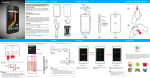
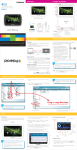
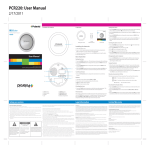
Home screen / Library The Home screen is the Library where all the stored books are available to browse from. In the Library, several books are displayed on the Library page (the current book is shown on top). Bookmarks Favorites Home menu: Press opens. while on the Home screen and the Home menu Press while on the Home screen, and select “Favorites”. Home menu Grimms' Fairy Tales.epub The Brothers Grimm Last read 02:44 07/03/2011 Bookmarks INT Sun Tzu White Fang.txt INT Jack London A Tale of Two Cities.pdf Charles Dickens Adventures of Huckleberry.epub Mark Twain The Scarlet Letter.txt INT INT INT Nathaniel Hawthorne PDF EPUB INT PDF Dracula.epub INT EPUB Bram Stoker A Tale of Two Cities.pdf INT PDF Adventures of Huckleberry.epub INT EPUB Charles Dickens Video A Tale of Two Cities.pdf Music Video: Play video Grimms’ Fairy Tales.epub INT The Brothers Grimm Music: Play music (headphones required) INT Sun Tzu Photo File Explorer Photo: View photos/slideshow Settings The Scarlet Letter.txt Library page indicator Use the “Go to page” option in the Home menu to jump to different pages in the Library Use the [DIRECTIONAL PAD] Settings Settings: Change the settings of the device Favorites Favorites: Browse the stored favorite books INT EPUB Grimms’ Fairy Tales.epub INT EPUB The Art of War.epub INT EPUB The Scarlet Letter.txt INT TXT Sun Tzu TXT Brightness AVI For more information regarding Video, Music, Photo, File Explorer, and Settings see the reverse side of this user guide. Video playback screen 30 00:00:49 Use the [DIRECTIONAL PAD] bookmark. Delete: Delete books from the Favorites list Press [OK] to start reading the book. Press Press “Music”. 00:02:48 while on the Home screen, and select Music screen Music menu: Press to open the Music menu during playback. Press “Photo”. Now Playing 1/1 Return Use the [DIRECTIONAL PAD] from the video list. to select a video [PREVIOUS/NEXT] Use or to skip to the previous or next page of the Video list. Press to return to the Home screen. • Previous/next: Quickpress the [DIRECTIONAL PAD] the previous or next video. 00:01:28 • Volume up/down: Use the [DIRECTIONAL PAD] volume. Press A Z to return to the previous screen. Press playback. to open the Video menu during Press to exit the Video menu. Full screen Brightness Return Settings screen Sort by Continue Reading Settings Date/Time Grimms' Fairy Tales.epub The Brothers Grimm Device Standby Last read 02:44 07/03/2011 Page 1 Format Memory Library About Product The Art of War.epub Power Management Sun Tzu Video Restore Defaults White Fang.txt Jack London Music Settings Favorites TXT INT PDF Adventures of Huckleberry.epub INT EPUB The Scarlet Letter.txt INT TXT Twenty Thousand Leagues.pdf INT PDF Dracula.epub INT EPUB Nathaniel Hawthorne Jules Verne Bram Stoker 2/3 Return INT A Tale of Two Cities.pdf Mark Twain File Explorer EPUB Language User Manual Charles Dickens Photo INT Video paris.jpg ● Re-orient or relocate the receiving antenna. ● Increase the separation between the equipment and receiver. ● Connect the equipment into an outlet on a circuit different from that to which the receiver is connected. ● Consult the dealer or an experienced radio/TV technician for help. Do not attempt to repair or modify this equipment. Warning: Changes or modifications to this equipment not expressly approved by the party responsible for compliance could void the user’s authority to operate the equipment. “This device complies with Part 15 of the FCC Rules. Operation is subject to the following two conditions: (1) this device may not cause harmful interference, and (2) this device must accept any interference received, including interference thatmay cause undesired operation.” to open the File Explorer menu. Information Thumbnail Photo Music Album 00:01:28 Photo INT book INT Pop Samba No Congo 30 File Explorer Update media Settings INT JPG paris.jpg INT 209KB Favorites • Rewind/forward: Press & hold the [DIRECTIONAL PAD] rewind or forward the track. • Previous/next: Quickpress the [DIRECTIONAL PAD] the previous or next track. Thumbnail: Enable to switch the display to the thumbnail view. • Volume up/down: Use the [DIRECTIONAL PAD] volume. Photo 93297KB video 93297KB video File Explorer Settings JPG book 3008KB book 3008KB Photo Track02.mp3 Track02.mp3 197KB 197KB Track01.mp3 Track01.mp3 173KB 173KB snowboarding.jpg 1/2 to play or pause the track. Photo-color Photo-color 93297KB ocean.jpg 209KB 33685KB Video Music JPG Favorites snowboarding.jpg 209KB 209KB 1/2 Return 1/23 Pop 30 Return audio 93297KB INT SD SD audio Return flowers.jpg 209KB INT 33685KB Genre Deodato Bookmarks Rotate INT video 3008KB INT Brightness INT Photo-color Delete File Explorer Go to page 720*480 209kb 93297KB or Press File Explorer screen Slideshow JPG 93297KB Artist • Play/pause: Press [OK] Press Press while on the Home screen, and select “File Explorer”. Sort by station.jpg sunset.jpg castle.jpg Paris.jpg bayside.jpg bridge.jpg 1/2 Return to to go to Press to exit the Music menu. Use the [DIRECTIONAL PAD] file, and press [OK] . to select a picture Loop FCC Part 15: This equipment has been tested and found to comply with the requirements for a Class B digital device under Part 15 of the Federal Communications Commission (FCC) rules. These requirements are intended to provide reasonable protection against harmful interference in a residential installation. This equipment generates, uses and can radiate radio frequency energy and, if not installed and used in accordance with the instructions, may cause harmful interference to radio communications. However, there is no guarantee that interference will not occur in a particular installation. If this equipment does cause harmful interference to radio or television reception, which can be determined by turning the equipment off and on, the user is encouraged to try to correct the interference by one or more of the following measures: “Settings”. All Return to adjust the to open the Photo Preview 33685KB Deodato to Press Brightness With a picture file open, press menu. audio Samba No Congo Return Legal information while on the Home screen, and select Brightness Loop Favorites to go to Photo menu: Pop 00:00:36 00:00:36 Settings Bookmarks while on the Home screen, and select Bookmarks 1/23 Video menu: to play the video. Go to page File explorer Go to page Settings • Rewind/forward: Press & hold the [DIRECTIONAL PAD] rewind or fast forward a video. 3. Drag and drop to copy book, audio, video and picture files to the e-Reader as shown above. File Explorer Sort by Video to play or pause a video. to exit the Bookmarks menu. Supported file formats: eBook: EPUB, PDF, TXT, FB2, PDB, HTML Audio: MP3, WMA, AAC, WAV, OGG Photo: JPG, BMP, GIF Video: MPEG-1, MPEG-2, MPEG-4(Xvid), Divx, H.263, H.264, RM/ RMVB, MKV, MOV, VOB, FLV (up to HD 1080p resolution) Now Playing File Explorer • Play/pause: Press [OK] Go to page: Jump to a desired library page Press to exit the Favorites menu. Music Press [OK] to start reading the book. Sort by: Change the order of the Bookmarks list by Title, Author, Category, Date or Format Photo Photo Favorites EPUB to select a Press [OK] Video Settings INT Return [PREVIOUS/NEXT] Use or to skip to the previous or next page of the Bookmarks list. Music File Explorer Grimms’ Fairy Tales.epub EPUB The Brothers Grimm Brightness Photo EPUB Settings to select a book Bookmarks The Day After Tomorrow - Trailer.avi INT INT 1. Find and select book, music, picture, or video files from multimedia folders on the computer. PDF INT File Explorer Go to page AVI INT Return Adventures of Huckleberry.epub Mark Twain Sort by title: Change the order of the Favorites list by alphabetical order Video INT A Tale of Two Cities.pdf Charles Dickens [PREVIOUS/NEXT] Use or to skip to the previous or next page of the Favorites list. Sort by Final Fantasy - Trailer.avi EPUB Photo Sort by Bookmarks PDF INT Music 1/1 The Day After Tomorrow - Trailer.avi MOV INT Adventures of Huckleberry.epub Charles Dickens Favorites Video list screen INT A Tale of Two Cities.pdf Page 15 Go to page Bookmarks The Brothers Grimm Nathaniel Hawthorne Use the [DIRECTIONAL PAD] from the Favorites list. while on the Home screen, and select Iron Man 2 - Trailer 2.mov Sort by Last read 02:44 07/03/2011 Page 15 Bookmarks Mark Twain Music Go to page Grimms' Fairy Tales.epub The Brothers Grimm EPUB Return Video Press “Video”. PER702 Bookmark Grimms’ Fairy Tales.epub Return: Return to the previous screen Return to skip to the previous To find books stored on the e-Reader select the "Sort by", “Go to page” or "Favorites" options on the Home menu (these features are explained in more detail in the next section "Home menu"). 2. Click “PER702” on the computer. 1/1 Favorites to move the selector. or Video EPUB INT Nathaniel Hawthorne File Explorer: Browse, or delete stored files Adventures of Huckleberry.epub The Brothers Grimm The Art of War.epub PDF Return Mark Twain Photo Brightness INT Charles Dickens Mark Twain To transfer and store multimedia files to the e-Reader, connect it to the computer using the included USB cable. Bookmarks Delete Favorites File Explorer 2/3 [PREVIOUS/NEXT] Use or next page of the Library. Favorites Music [NEXT] Go to next page TXT Sort by title Bookmarks: Browse bookmarks you made to open the Bookmarks menu. Grimms' Fairy Tales.epub The Brothers Grimm Go to page: Jump to a desired Library page Video [DIRECTIONAL PAD] move the selector Go to page Last read 02:44 07/03/2011 Brightness: Change the brightness of the screen [PREVIOUS] Go to previous page TXT Twenty Thousand Leagues.pdf Jules Verne Brightness EPUB Press Bookmark Bookmarks Brightness Bookmarks menu: Sort by Grimms' Fairy Tales.epub The Brothers Grimm Grimms' Fairy Tales.epub The Brothers Grimm author, category, date, or format Go to page Library The Art of War.epub Press while on the Home screen, and select “Bookmarks”. Favorite Favorite Go to page Page 1 to open the Favorites menu. Bookmarks screen Sort by Sort by: Change the order of the Library by title, Sort by [MENU] Displays Reading menu Press Favorites screen Home screen / Library Continue Reading Favorites menu: Transferring media files 1. Use [DIRECTIONAL PAD] to select between the internal memory or micro SD card , and press [OK] . Press ocean.jpg to adjust the to return to the Home screen. Play/Pause button: Press the [PLAY/PAUSE] button while reading a book to listen to music. Press to return to the previous screen. PLR IP Holdings, LLC, its licensees and affiliates, fully support all electronic waste initiatives. As responsible stewards of the environment, and to avoid violating established laws, you should properly dispose of this product in compliance with all applicable regulations, directives or other governances in the area where you reside. Please check with local authorities or the retailer where you purchased this product to determine a location where you can appropriately dispose of the product. You may also go to HYPERLINK "http://www.polaroid.com" www.polaroid.com and reference About / Electronic Recycling to learn more about the specific laws in your area and to locate a collection facility near your home. If your electronic device has internal memory on which personal or other confidential data may be stored, you may want to perform a data sanitization process before you dispose of your device to assure another party cannot access your personal data. Data sanitization varies by the type of product and its software, and you may want to research the best sanitization process for your device before disposal. You may also check with your local recycling facility to determine their data sanitization procedures during the recycling process. This product as supplied and distributed new by AIT, Inc. (“AIT”) to the original consumer purchaser is warranted by AIT against defects in material and workmanship for a period of one year from your date of purchase (“Warranty”). In the unlikely event that this product is defective, or does not perform properly, you may within one year from your original date of purchase return it to the authorized service center for repair or exchange. The shipping address of the authorized service center is: TO OBTAIN WARRANTY SERVICE: • Provide proof of the date of purchase within the package (Dated bill of sale). IN NO EVENT WILL AIT, ITS MANUFACTURERS, DISTRIBUTORS OR PLR IP HOLDINGS, LLC BE LIABLE FOR ANY INCIDENTAL, DIRECT, INDIRECT, SPECIAL, PUNITIVE OR CONSEQUENTIAL DAMAGES (SUCH AS, BUT NOT LIMITED TO, DAMAGES FOR LOSS OF PROFITS, BUSINESS, SAVINGS, DATA OR RECORDS) RELATED TO THIS PRODUCT. EXCEPT AS STATED HEREIN, NO OTHER WARRANTIES SHALL APPLY. • Prepay all shipping costs to the authorized service center, and remember to insure your return. • Include a return shipping address (no P.O. Boxes), a telephone contact number, and the defective unit within the package. • Describe the defect or reason you are returning the product. Your product will be repaired or replaced, at our option, for the same or similar model of equal value if examination by the service center determines this product is defective. Products received damaged as a result of shipping, will require you to file a claim with the carrier. to exit the Photo menu. 1/1 Limited Warranty Shielded USB cables must be used with this unit to ensure compliance with the Class B FCC limits. Press AIT, Inc. Attention: Customer Service (2nd Floor) 14-C 53rd Street Brooklyn, NY 11232 Should you have any questions or problems concerning this product, please contact our customer service department at: Customer Support: 1-877-768-8483 (Toll Free) [email protected] Monday - Thursday: 9AM - 5PM (EST) Friday: 9AM - 3PM (EST) Delete: Delete files from the Explorer list. 2. Use [DIRECTIONAL PAD] press [OK] . to select a file and to exit the Favorites menu.