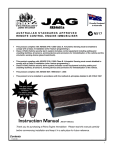
1
2 CHANNEL
MULTI-PURPOSE
RECEIVER
N517
Rhino Part No.
Description
RCX
2 Channel receiver
Keyless Entry
Keyless Entry with immobilisation relay
(includes automotive installation parts)
RCXi
Hardware Version: CLX Version 4.00 Software Version: CL2000 Instructions
RhinoCo Technology
ABN: 74 001 621 610
Head Office:
9 Hannabus Place, McGraths Hill, NSW 2756
AUSTRALIA
Ph: +61 (2) 4577 4708 Fax: +61 (2) 4577 4885
Web: www.rhino.com.au
Email: [email protected]
16 Pages Total
RCX Series V4_NEW.doc
2
Introduction
This product is designed to be simple and easy to use. It has simple wiring
connections and can be used in a variety of applications. Primarily, this
product can be used to remote control your car, garage door, home alarm
system, or your electric gate. The list of items you can interface into is
almost endless.
The unit is supplied with 2, dual button remote controls which have an
operating range of approximately 80 metres (line of sight – subject to
environmental conditions).
The remote controls for this unit operate using code hopping technology.
This is otherwise known as anti code grabbing or anti scanning type. This
leading edge technology prevents unauthorised copying of your remote
control. This technology sends a unique and different code each time any
of the remote control buttons is pressed.
Other features include:
Long life lithium batteries included with the remote controls.
Compact receiver module, which can fit in the smallest of spaces.
High performance and reliable super-heterodyne receiver. This
ensures there is no frequency drift.
SSR™ Solid State Remote controls – no tuning capacitor. More
durable and reliable.
New modular design. Plug in module. Easy to install, replace or
service.
Learning code receiver. Can store up to 15 remote controls in
total.
3
Packing List
Following, is a list of the parts included with your receiver.
Description
RCX Receiver
module
8 way wiring
harness
2 button remote
controls (2 pieces)
Instruction
booklet
Warranty Cards
1 Amp diode
40 Amp relay
LED, Loom and
Bezel
Toggle Switch
and Loom
Special
Indicator Flash
Relay (pre
wired)
Appearance
Re-order
code
RCX
RCXi
RCXTH
Yes
Yes
HARNESS08
Yes
Yes
GTTX
Yes
Yes
INSTRUCTIONS
Yes
Yes
Yes
Yes
No
Yes
40ARELAY
No
Yes
LEDLOOM5
No
Yes
No
Yes
No
Yes
WTYCARD
1N4007
TOGSWLOOM
REL01LOOM
10
Operation
Normal Operation (Automotive – RCXi)
Red button
Press button 1 to lock and unlock the vehicle.
When the vehicle is locked this will immobilise the vehicle. The
dash LED light will begin flashing and the indicators will flash
once.
When the vehicle is unlocked the dash LED light will stop
flashing. The indicators will flash twice and vehicle can now be
started.
Green button
Press button 2 to open the boot (if connected). This operates
independently and will not lock or unlock the doors. It will not
enable the vehicle to be started if the vehicle is already
immobilised.
11
Normal operation (general purpose – RCX)
As this receiver may be wired to many different devices, we suggest that
you fill in the spaces below.
Red button
Press button 1 to operate Channel 1.
This will ___________________________________________
___________________________________________________
___________________________________________________
Green button
Press button 2 to operate Channel 2.
This will ___________________________________________
___________________________________________________
___________________________________________________
Installers notes to the user
____________________________________________________________
____________________________________________________________
____________________________________________________________
____________________________________________________________
12
Adding remote controls
Your RCX / RCXi incorporates a unique code learning system. This
enables extra remotes to be added with ease if necessary. You can utilise a
maximum of 15 remote controls if required.
1
Hold for
5 Seconds
on existing
remote
2
(if wired –
vehicles only)
4
3
Press new
remote for
3 Seconds
Blinkers
Flash 3
times to
indicate
learn mode
Press 5
times on
new
remote to
test
To learn in a new remote control press and hold button 1, of an existing
(learnt in) remote control, for approximately 5 seconds or until the blinkers
begin to flash again. Immediately after the blinkers begin flashing or after
holding the button 1 of the existing remote control, release that button.
Immediately after releasing the button of the existing remote control press
button 1 of the new remote control for 3 seconds then 5 times for a 1
second duration each time. The new remote control should now work. If
this doesn’t work the first time re-try this procedure from the beginning.
13
Over-ride
If you have no working remote controls to operate your
system because they have been lost or are not working
then you may over-ride the RCXi system (if the over-ride
switch has been fitted). The switch should be in a hidden
position and switched in the opposite direction to enable
you to start the vehicle.
The RCX, if wired to a control panel, can usually be overridden by using
the hardwired keypad. It is important with any installation to ensure that an
override procedure is in place in the event that all remote controls for the
system are lost or are not operating.
Lost Remotes?
If you are unable to find lost remotes you should have the system sent back
to the Rhino Service Department for resetting. This is important to ensure
that no unauthorised entry can occur from someone using the lost remote
control(s).
Contact the qualified installer for removal and refitting of the system. For
technical assistance contact Rhino Technical Support (details below).
Testing & Specifications
•
•
We recommend using a multi-meter to test any wires.
All outputs are open collector switching negative.
NORMAL OPERATION RATINGS
PARAMETER
Supply current @ Vcc = 12V
Supply voltage (Vcc)
Operating Temperature (°C)
MINIMUM
10V
-20
TYPICAL
7mA
12V
+25
ABSOLUTE MAXIMUM RATINGS
PARAMETER
MINIMUM
MAXIMUM
Storage Temperature
Supply Voltage, Vcc Max.
-55
0V
+150
+16V
MAXIMUM
13mA
14V
+85
14
Service and Technical Support
Replacing the remote control batteries
The diagram shows how the remote control is assembled.
This may help when it comes time to replace the
batteries in your remote control.
A small philips head (#1) screw driver is required to
remove the 2 screws that hold the case together. Once the
screws are removed you can then disassemble the case
and replace the batteries.
The batteries must be installed the correct way (see
diagram below).
Bottom view –
positive terminal
Top view –
negative terminal
Both batteries are placed between the 2 terminals. The positive side of each
battery faces the bottom. The positive side of each battery is indicated by a
+ symbol. Be sure not to touch the face of the new batteries with your
fingers. Handle only from the edge so that the batteries make good contact
with each other and the terminals.
-
Side view with
batteries installed
+
Replacement batteries are available from Rhino Electronic Security.
Contact Rhino Technical Support on the number below.
Rhino Part #
TX3V
Battery type
CR1616
Description
3 Volt button cell Lithium battery
15
Additional Diagrams
All relays depicted are changeover type.
Connecting to a Rhino Central Locking Kit (CLK)
Connect Lock Wire to
Pin 8 on CLK Control
Module
Connect Unlock Wire
to Pin 10 on CLK
Control Module
Installing a New Motor
(Often required in vehicles that has factory locking but have no motor in
the driver’s door, or you would like “keyless entry” on driver’s door)
LOCK PULSE
15A FUSE
UNLOCK
PULSE
87
87a
86
+12V
87
87a
85
86
30
85
30
LOCK OUTPUT
UNLOCK OUTPUT
Interfacing to “Positive Pulse” Central Locking Systems
LOCK PULSE WIRE
15A FUSE
87
87a
UNLOCK
86
87
87a
85
30
+12V
86
85
30
LOCK OUTPUT TO VEHICLE
UNLOCK OUTPUT TO VEHICLE
16
Negative Trigger Existing Central Locking System (low current)
L O C K P UL S E W IRE
T O E X IS T IN G
E L E C T R O N IC IN T E RF A C E
U N L O C K P U L S E W IR E
Additional Central Locking hookup diagrams available from
Rhino Technical Support
•
•
•
•
Secure unlocking (similar to VS/VT central locking system).
Positive at rest then going negative or negative at rest then going
positive.
Other various central locking hookups.
Wiring colours and locations for various model vehicles.
We thank you for buying an Australian designed
and engineered product from an Australian
company
www.rhino.com.au