1
RADIO KEY OPERATION
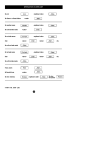
NESS RADIO KEY 3 BUTTON
The optional Ness Radio Key allows you to Arm, Disarm and activate
PANIC. The Radio Key can also Arm Monitor Mode, (if this has
been enabled by your installer).
ARMING
Press the ON button.
• The keypad will give 3 beeps.
• The outside siren will give 1 ‘chirp’. (If enabled by your installer).
• The strobe light will flash briefly. (If Monitor Arming by Radio Key
is enabled, the chirp and flash will be delayed for 5 seconds).
DISARMING
Press the OFF button.
• The keypad will give 3 beeps.
• The outside siren will give 3 ‘chirps’. (If enabled by your installer).
• The strobe light will flash briefly.
ARMING MONITOR MODE (If enabled by your installer).
Press the OFF button twice within 4 seconds ...or... press the ON
button twice within 5 seconds.
• The keypad will give 9 beeps.
• The outside siren will NOT ‘chirp’.
• The strobe light will flash briefly.
PANIC
Press and hold the PANIC button for at least 4 seconds.
• The siren and strobe will activate, (If enabled by your installer).
• The dialler will report a Panic alarm, (If enabled by your installer
and if your system is monitored by a central station).
Press the OFF button to reset a Panic alarm.
* The Ness Radio Key is optional and is not supplied with any Ness control panel as standard.
* Ness radio products require a Ness Radio Interface (100-200) to be fitted to the control panel.
16
NESS D8 V4.5 CONTROL PANEL - USER MANUAL