1
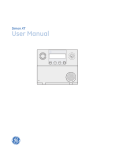
While the panel is idle, the text displays:
Display line 1
Arming level
Display line 2
HH:MMx (Time) and status icons
To arm motion sensors (level 3):
1.
Press Motions.
2.
Enter your code when the display shows Enter Code,
if a code is required.
The display shows Motions, speaks Motions On, and
the Motions button lights.
Arming and disarming
The panel starts an exit delay and sounds exit beeps in
groups of three until the exit delay expires.
Table 2 below describes the arming levels that you can set
from the control panel.
To arm doors, windows, and motion sensors (level 4):
Table 2: Arming levels
Level
Function
Description
0
Subdisarm
If your system includes 24-hour
protection sensors, you must
subdisarm the panel before accessing
these areas to avoid causing an alarm.
Environmental sensors (such as smoke
or carbon monoxide detectors) stay
active at all times.
1
Disarm
In this level, only 24-hour sensors are
active.
2
Arm door and
window sensors –
exterior
This level arms the door and window
sensors, while leaving the interior
motion sensors disarmed.
3
Arm motion sensors – This level arms the interior motion
interior
sensors, while leaving the exterior door
and window sensors disarmed.
4
Arm doors/windows
and motion sensors
This level arms all sensors.
To disarm (level 1):
1.
Press Disarm.
2.
Enter your code when the displays shows Enter
Code.
The panel displays and speaks Disarmed, the Disarm
button lights up, and the panel beeps once.
To arm doors and windows (level 2):
1.
Ensure that all doors and windows are closed.
2.
Press Doors+Windows.
3.
Enter your code when the displays shows Enter
Code, if a code is required.
The panel displays Doors + Windows, speaks Doors
and Windows On, and the Doors+Windows button
lights up.
The panel starts an exit delay and sounds exit beeps in
groups of two until the exit delay expires.
2
1.
Press Doors+Windows.
2.
Enter your code when the display shows Enter Code,
if a code is required.
3.
While the panel is in the process of arming, press
Motions.
The display shows Doors + Windows & Motions,
speaks Doors and Windows On, Motions On, and the
Doors+Windows and Motions buttons light up.
The panel starts an exit delay and sounds exit beeps in
groups of four until the exit delay expires.
Silent exit
Press Silent after you arm the system to silence status
beeps. The silent exit feature silences the status beeps that
accompany the exit delay. The panel will still beep at the
beginning and end of the exit delay.
Note: Enabling silent exit doubles the exit delay time.
Alarms
The system provides a series of alarms that indicate an
unusual occurrence. When an alarm is active, the display
shows Alarm Alarm Alarm, Press Status.
To cancel the alarm, enter a valid master or user code. After
alarms are canceled, the system will be disarmed.
System status
Press Status (no code is required) to cause the system to
display and speak the following types of information:
•
•
•
•
•
Alarm conditions
Alarm history
Trouble conditions
Open sensors
Bypassed sensors
Simon XT Quick Operation Guide