1
3 Running Active@ KillDisk
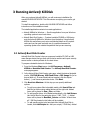
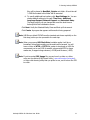
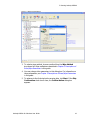
7. To stop the process at any time, press ESC. Please note, however that
data that has already been erased will not be recoverable.
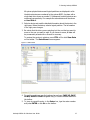
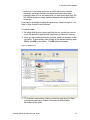
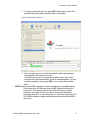
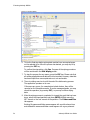
Figure 3-6 Disk Erasing in Progress
8. There is nothing more to do until the end of the disk erasing process.
The application will operate on its own.
If there are any errors, for example due to bad clusters, they will be
reported on the Interactive screen. If such a message appears, you may
cancel the operation (by pressing ESC), or you may continue erasing
data.
NOTE Because of the BIOS restrictions of some manufacturers, a hard disk device
that is larger than 300 MB must have an MBR (Master Boot Record) in
sector zero. If you erase sector zero and fill it with zeros or random
characters, you might find that you cannot use the hard drive after
erasing the data. It is for this reason that—on hard drives larger than 300
MB—KillDisk creates an empty partition table and writes a typical MBR in
sector zero.
Active@ KillDisk for Windows User Guide
17