1
FOURSTAR Electronic Technology Co., Ltd. DeYang China
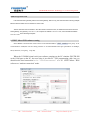
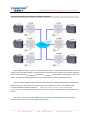
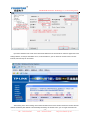
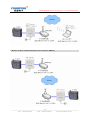
The most economical way to achieve the remote communication in the Internet between the PC and
S7-200PLC is that set the FS-ETH-PPI as the client, set the PC as the server, install and run the DNS software on
the PC, and set the port simulated for PC on the router of PC side. As shown below:
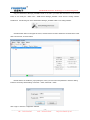
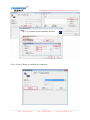
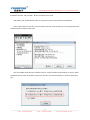
Set FS-ETH-PPI network parameters, the gateway must be the same as the router connected with the
FS-ETH-PPI, here you still need to properly set the IP address of DNS, different cities have different DNS Server
IP, you can use all, but usually choose the local DNS,you can search these addresses from Internet, also can find
them from the router which you are using.
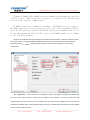
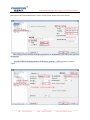
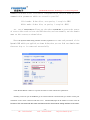
Set the serial port parameters of FS-ETH-PPI, please note that you should use 10-bit communication
mode: 8 data bits, no parity, 1 stop bit, that is 8N1.
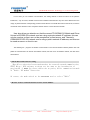
Set FS-ETH-PPI as TCP Client; remote host IP =domain name of remote PC, here is: fourstar.vicp.cc;
host port = VCOMM software port number.
___________________________________________________________________________________________________
- 29 TEL:+86-838-2515543
FAX:+86-838-2515546
http://www.fourstar-dy.com