1
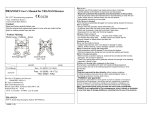
Pressing deactivates the current activity.
Power Tips
After connecting, put your GPS device in your pocket or a backpack. It should not lose the satellite signal
there.
To conserve battery, you may turn the screen off during your activities. This will not interfere with the
calculations.
If you are carrying additional load during your activities, increase the Body weight value in Preferences by
the doubled weight of the load.
Make sure to toggle on the Mountainous terrain mode in Preferences if you plan to climb or descend by
more than 50 meters (164 feet) during your activities.
Further help
All windows in this software have individual help articles. Tap Start > Help over any window to display them.
More software from RNS::
Visit our website to discover other great products for your mobile device!
Calorie GPS Preferences
Body weight - enter your true body weight in order to make all calculations more precise for you. Remember
to keep this value updated as you lose weight!
Mountainous terrain mode - calculates caloric consumption with respect to altitude changes. Use this
option with caution - most of the popular GPS devices are not precise enough to provide accurate altitude
data and might violate the calculations. Use it only if you plan to climb or descend by 50 meters (164 feet) or
more during your activities.
Per-activity totals - calculates separate totals for each of the 6 activities.
Reset totals daily - automatically resets totals every midnight.
Connect on startup - automatically connects with the GPS device on the application startup.
Work when no activity - calculates caloric consumption even when no activity is selected (yes, you burn
some calories even if you do nothing).
Work even without GPS - calculates caloric consumption even when the GPS device is not connected. The
calculations are then based on the average caloric consumption for given activity.
Disable auto-off - disables turning off the screen when GPS is connected.
3/4