1
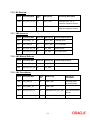
Millionaire Certificate Oracle FLEXCUBE Universal Banking Release 12.0 [May] [2012] Oracle Part Number E51465-01 Millionaire Certificate Table of Contents 1. MILLIONAIRE CERTIFICATE (MB) ........................................................................................................ 1-1 1.1 1.2 1.3 1.4 1.5 2. INTRODUCTION ........................................................................................................................................... 1-1 AUDIENCE .................................................................................................................................................. 1-1 ORGANIZATION .......................................................................................................................................... 1-1 GLOSSARY OF ICONS .................................................................................................................................. 1-2 RELATED DOCUMENTS ............................................................................................................................... 1-2 OVERVIEW - MILLIONAIRE CERTIFICATES ...................................................................................... 2-2 2.1 INTRODUCTION ........................................................................................................................................... 2-2 2.2 MILLIONAIRE CERTIFICATE ........................................................................................................................ 2-2 2.3 LIEN MILLIONAIRE CERTIFICATES:............................................................................................................. 2-2 2.4 DRAW PROCEDURE ..................................................................................................................................... 2-3 2.5 SCOPE OF THE MODULE .............................................................................................................................. 2-3 2.6 MB MODULE FUNCTIONS & FEATURES...................................................................................................... 2-4 2.6.1 Flexible Parameters Definition.......................................................................................................... 2-4 2.6.2 MC/LMC Customers: ......................................................................................................................... 2-4 2.6.3 Instrument Numbering: ...................................................................................................................... 2-4 3. MAINTENANCES .......................................................................................................................................... 3-1 3.1 INTRODUCTION ........................................................................................................................................... 3-1 3.1.1 Maintaining Pay-in Parameter Details.............................................................................................. 3-1 3.1.2 Viewing Pay-in Parameter Details Summary .................................................................................... 3-2 3.1.3 Maintaining Monthly Provision Details ............................................................................................ 3-3 3.1.4 Viewing Monthly Provision Details Summary ................................................................................... 3-5 3.1.5 Maintaining Draw Parameter Details ............................................................................................... 3-5 3.1.6 Viewing Draw Parameter Summary .................................................................................................. 3-7 3.1.7 Processing EOD Batch ...................................................................................................................... 3-8 4. DEFINING PRODUCT ATTRIBUTES ........................................................................................................ 4-1 4.1 INTRODUCTION ........................................................................................................................................... 4-1 4.1.1 Capturing Millionaire Certificate Product Details............................................................................ 4-1 4.1.2 Specifying Preferences for a Product ................................................................................................ 4-3 4.1.3 Specifying Charges (ICCF) for a Product ......................................................................................... 4-5 4.1.4 Viewing Product Definition Details Summary ................................................................................... 4-6 5. PROCESSING MB CONTRACT .................................................................................................................. 5-1 5.1 INTRODUCTION ........................................................................................................................................... 5-1 5.2 CAPTURING MILLIONAIRE CERTIFICATE CONTRACT DETAILS ................................................................... 5-1 5.2.1 Denomination Details ........................................................................................................................ 5-3 5.2.2 Customer Details ............................................................................................................................... 5-4 5.2.3 Certificate Details .............................................................................................................................. 5-7 5.2.4 Viewing Millionaire Certificate Contract Summary .......................................................................... 5-7 5.2.5 Querying Customer Balance .............................................................................................................. 5-8 5.2.6 Mapping Customer Reference to CIF .............................................................................................. 5-10 6. PAYMENT ..................................................................................................................................................... 6-11 6.1 INTRODUCTION ......................................................................................................................................... 6-11 6.1.1 Millionaire Certificate Payment Details .......................................................................................... 6-11 7. ACCOUNTING ENTRIES AND ADVICES................................................................................................. 7-1 7.1 INTRODUCTION ........................................................................................................................................... 7-1 7.2 MB EVENTS ............................................................................................................................................... 7-1 7.3 ACCOUNTING ENTRIES ............................................................................................................................... 7-1 7.3.1 MC Issuance – Cash/Cheque/Credit Card/Account transfer ............................................................. 7-1 7.3.2 MC Re-issuance ................................................................................................................................. 7-2 7.3.3 MC Issuance to winners ..................................................................................................................... 7-2 7.3.4 MC Liquidation/Encashment ............................................................................................................. 7-2 7.3.5 MC Monthly Provisioning ................................................................................................................. 7-2 7.3.6 MC Reversal ...................................................................................................................................... 7-3 7.3.7 LMC Issuance .................................................................................................................................... 7-3 7.3.8 LMC Manual Roll-over...................................................................................................................... 7-3 7.3.9 LMC Cancellation ............................................................................................................................. 7-3 7.3.10 LMC Monthly Amortization ............................................................................................................... 7-4 7.3.11 LMC Reversal .................................................................................................................................... 7-4 7.4 ADVICES ..................................................................................................................................................... 7-4 7.5 NOTIFICATION: ........................................................................................................................................... 7-5 8. SCREEN GLOSSARY .................................................................................................................................... 8-1 8.1 FUNCTION ID LIST...................................................................................................................................... 8-1 1. 1.1 Millionaire Certificate (MB) Introduction Millionaire Certificate (MC) is a savings and investment opportunity which offers a maximum returns of 1000 times the investment value and at the same time the customer’s certificates are completely capital guaranteed and en-cashable at any point in time. Oracle FLEXCUBE Millionaire Certificate module (MB) module helps you to facilitate MC/LMC transactions. This module provide features to issue, redeem, partially redeem, cancel and mark as lost or reissue certificates. Certificates can be bought by cash or cheque or credit card. Certificates can also be bought on lien by paying the interest amount. 1.2 Audience This manual is intended for the following User/User Roles: 1.3 Role Function Back Office Trade Finance Department Clerks Contract Input functions except Authorization. Back Office Trade Finance Department Officers Contract Authorization, maintenance of static data specific to this module. Front end Trade Finance Product Managers Product definition functions excluding authorization. Query functions. End of Day Operators End and beginning of day related processing functions Bank’s Financial Controller/Trade Finance Department Manager Branch level processing related setup for this module and Authorization of the same. MIS Department Officers Query/Report functions. Organization This Manual is organized into the following chapters: Chapter 1 About this Manual Chapter 2 Overview of the MB module Chapter 3 Maintenances required for the MB Module Chapter 4 Attributes specific to setting up MB product. Chapter 5 Contract details related to MB 1.4 Chapter 6 Payment details related to MB Chapter 7 Annexure containing additional details Glossary of Icons This User Manual may refer to all or some of the following icons. Icons Function Exit Add row Delete row Option List 1.5 Related Documents You may need to refer to any or all of the User Manuals while working on the MB module: CE Inventory ELCM Procedures Products User Defined Fields 2. 2.1 Overview - Millionaire Certificates Introduction This chapter gives you an overview of the Millionaire Certificate (MB) module of Oracle FLEXCUBE. There are two types of certificates issued by the bank: 2.2 Millionaire Certificate (MC) Lien Millionaire Certificates (LMC) Millionaire Certificate Millionaire Certificate (MC) is a savings and investment opportunity which offers a good returns on your investment and certificates are completely capital guaranteed and en-cashable at any point of time. The subscription to MC is in multiple of thousands only. To subscribe to MC, you should hold a Valid Visa (Transit/ Visit/Business/Residential) and a Passport. MC can be bought from any of the branches of the bank or through any channels like their associated exchanges and gets processed from the bank. The non-residential clients would be able to redeem it through a Power of Attorney issued with proper documentation. 2-2 Customers of the bank can get certificates attached to their account if the MCs have been purchased under the CIF # of the account as well. Non customers of the bank can purchase the MC and later associates with the Customer or CIF if he becomes customer and declares the same to the bank. Inventory module is used to track the movement of the instruments between central vault and branches and tracks the status of each instrument by serial number. The MB module provides you with the following features: 2.3 MC is open ended and don’t have any maturity date and can be withdrawn at any point in time across the counter. But any encashment within X number of days from the date of purchase shall be subject to a nominal pre-encashment fee of 2.5%of total certificate value. Certificates are Non-Interest bearing, non-negotiable and non- pledge able to any third party. Customers can walk into any Bank branch and en-cash their certificates. Withdrawal of MC can be cash or transfer to customer account with the bank. Minimum investment allowed as certificates is issued in respective LCY equivalents. One time fee is charged per transaction irrespective of number of certificates issued. Draw is conducted on a daily/weekly/bimonthly/monthly/quarterly basis with minimum savings condition. Secured over draft facility is there to meet the immediate financial needs while remaining in the running for a million dirham draw. You can avail the facility of a secured over draft against their Millionaire certificates – up to 90% of MM value at the rate of 8.5% MC can be purchased on-line by account holders of your bank and non-account holders. All credit card holders are accepted to purchase MC (customers & non customers). For other bank credit card customers, there is an additional MC issuance charge of 1.5% on the (transaction amount + normal issuance fee). In case of lost certificates, the bank reprints the MC and may charge a new issuance fee. After winning the draw, MM certificates equivalent to the winning amount would be issued to the winner without any cash payments. Winner has an option to redeem the certificates. Lien Millionaire Certificates: Lien Millionaire Certificates (LMC) is another product offered by the bank. All features are like the Millionaire Certificates but for the below mentioned features: While purchasing the MC you have an option to pay the interest (Currently 6% per year per certificate) and get add-on notional MC. Notional certificates are eligible to participate in the draw. The number of MC you can buy on lien is dependent on the number of MC you hold. The subscription transaction fee (MC) is waived-off if the customer opts for the Lien. Liened MC can be renewed every year by paying the same interest. If the renewal is not done then the notional certificate will be active up to grace period end defined at product preference and after grace period end Notional certificate is dropped automatically. The bank has an option to Reverse the MC/LMC with an option to refund the interest when: Reversal of MC contract is allowed only if it has not undergone liquidation/reissuance and it should not be linked to any LMC contracts. Reversal of LMC contract is allowed only if it has not undergone cancellation/rollover/reissuance/monthly interest amortization. 2-2 2.4 If a customer liquidates the MC, then proportionate of LMC should be dropped accordingly as per eligibility matrix. Interest rate charged is not refundable and unearned interest is transferred to earned GL. Draw Procedure A member from the Economic Panel would be part of the draw. This is generally conducted in a Mall or a Beach or an open place where public gathering generally happens. The Lottery happens through a throw of dice corresponding to the Units place, hundreds place etc… considering the total number of reference active deposits in consideration. Currently the Bank is getting the sequence/reference no. through the lot and then contacting the customer support centre to ensure that the deposit is active. Oracle FLEXCUBE provides the reference number and the corresponding certificate number immediately instead of using the manual process. 2.5 Scope of the Module The MB module comprises the following high-level functions: Product Definition Contract Input Pay-in Parameter Maintenance Monthly Provision Maintenance Draw Parameter Maintenance ‘Factory shipped’ report is only for a single report for draw data. ‘Advices’ is only to provide advice field tags. 2-3 2.6 MB Module Functions & Features The following sections give you a brief overview of the MB module’s various functions and features. 2.6.1 Flexible Parameters Definition Parameters Definition for millionaire certificate product, associated charges, accounting entries and preferences are completely user defined and flexible. Certificate issuance, encashment, cancellation (including partial cancellation) and re-issuance are handled as different stages/events of a contract. Inventory module is used to track the flow of inventory from head office to various branches. It also tracks the status of the instrument. MC contracts can be used as collateral to a liability in the collateral maintenance screen, in the ELCM module. MC contract is then blocked to the extent of collateralized amount. 2.6.2 MC/LMC Customers: All customers of MC/LMC (including customers/credit card holders of your bank and walk-in customers/credit card holders) are CIF in Oracle FLEXCUBE. Each type of MC customers are created with different charge groups to facilitate differential charging, if any. For new walk-in customers, during MC issuance you can record the basic details of the customer in ‘Customer details’ section of MC contract issuance screen. These details are stored against the customer reference number and would not create a CIF in the system. The system generated customer reference number would then be mapped against the standard walk-in CIF defined in the branch parameters. Upon fresh/first time purchase of MC by CIF, system dynamically generates the customer reference number and associates it to the CIF. This reference number would be a ten digit number - branch code followed by running sequence number. System would not validate the MC customers based on customer nationality/visa details/age. 2.6.3 Instrument Numbering: MC/LMC would involve the following two numbers: Certificate number – a ten digit number with branch code followed by running sequence number. Control/key/serial number - unique number printed on the stationary/instrument and would be used to authenticate the issued certificates. Inventory management module would be used to track the instrument (identified by the control numbers). 2-4 3. 3.1 Maintenances Introduction As part of enabling and using the Millionaire Certificates (MB) module of Oracle FLEXCUBE, there are several maintenances to be performed. These maintenances have been elaborated upon in the sections given below. Unless specified otherwise, all maintenances specified below allow all standard maintenance functions – Add, Modify, Delete, Authorize, Close, Re-open, and Inquiry. The maintenance functions also log all maintenances in the Audit Trail. The common maintenance related to Millionaire Certificate transactions are maintained in the following screens: Function ID ‘CSDDEMAN’ under the heading ‘Maintaining Currency Denomination Details’ in CS module Function ID ‘IVDSTKCD’ under the heading ‘Stock Catalog Definition’ in Instruments Inventory Tracking (IV) module. Function ID ‘IVDTXNAS’ under the heading ‘Adjust Inventory Balance’ in Instruments Inventory Tracking (IV) module. 3.1.1 Maintaining Pay-in Parameter Details You can maintain the general ledger code for each product, branch and pay-in-option (viz. by cash, cheque and credit card) in the ‘Pay-in parameter Maintenance’ screen from the head office level. To invoke the ‘Pay-in parameter Maintenance’ screen, enter ‘MBDMBPAY’ in the field at the top right corner of the Application Toolbar and then click the adjoining arrow button. 3-1 You can maintain the following details here. Product Code Specify the MC product code for which you are maintaining the details. The description for the specified product gets displayed in the adjacent field. Branch Code Specify the branch code where the product MC product is issued. Pay-in Option Select a valid paying option from the drop-down list. The values are: Cash Cheque Credit card. General ledger code Specify the GL code for the selected pay-in option. MC issuance through cheque and credit card is a deposit in teller module to the specified GL codes. MC issuance through cash would impact the till in teller module and update the specified cash GL. During MC issuance, based on the pay-in option, these GL codes would be used for further processing. 3.1.2 Viewing Pay-in Parameter Details Summary You can view the summary of monthly provision details through the ‘Pay-in Parameter Summary’ screen. 3-2 To invoke the ‘Pay-in Parameter Summary’ screen, enter ‘MBSMBPAY’ in the field at the top right corner of the Application Toolbar and then click the adjoining arrow button. You can query the contract records with the following details Authorization Status Record Status Product Code Branch Code Pay in Click ‘search’ button to view the records with the specified values. 3.1.3 Maintaining Monthly Provision Details You can maintain monthly provision for MC / LMC in the ‘Monthly Provision Maintenance’ screen from the head office level. For a product, provision is allowed only once in a calendar month and if it is done for ‘ALL’ products, then provisioning for individual products is not allowed. Similarly, If provisioning is done for specific product then system would not allow provisioning for ‘ALL’ products in the given calendar month. To invoke the ‘Monthly Provision Maintenance’ screen, enter ‘MBDMPROV’ in the field at the top right corner of the Application Toolbar and then click the adjoining arrow button. 3-3 You can maintain the following details here. Product Code Select a valid MC/LMC product code for provisioning from the list of values maintained. You can specify ‘ALL’ products also for provisioning. The description for the specified product gets displayed in the adjacent field. Provision date gets defaulted as the system date. Provision Amount Specify the amount for provision. The currency gets displayed in the adjacent field. After the provision is authorized you cannot modify the record. System compute the branch provision share for all the branches holding active MC/LMC as on provision date and post provision accounting entries for all these branches. Branch provision amount is computed by apportioning the ‘Provision amount’, based on the number of MC/LMC in books of branch under consideration with that of total number of MC/LMC in books of all branches. System would use contract originating branch as the basis to group MC/LMC for a given branch. Branch Provision Share = (Provision amount * Total MC/LMC in books of branch “A” / Total MC/LMC Deposits in all branches). Upon computing branch provision amount, system would trigger the ‘PROV’ event to pass the inter-branch accounting entries as mentioned below: In Books of Branch “A”: Debit – Expense GL <Branch Provision Share> 3-4 Credit – Head Office Account in books of branch “A” <Branch Provision Share> In Books of Head Office: Debit – Branch “A” Account in Head Office books <Branch Provision Share> Credit – MM Provision GL (Liability GL) <Branch Provision Share> The date of provision gets defaulted. 3.1.4 Viewing Monthly Provision Details Summary You can view the summary of monthly provision details through the ‘Monthly Provision Summary’ screen. To invoke the ‘Monthly Provision - Summary’ screen, enter ‘MBSMPROV’ in the field at the top right corner of the Application Toolbar and then click the adjoining arrow button. You can query the contract records with the following details Authorization Status Record Status Product Code Provision Date Provision Currency Provision Amount Click ‘search’ button to view the records with the specified values. 3.1.5 Maintaining Draw Parameter Details You can maintain the data file extraction details in the ‘Draw parameter Maintenance’ screen from the head office level. 3-5 To invoke the ‘Draw parameter Maintenance’ screen, enter ‘MBDDRMNT’ in the field at the top right corner of the Application Toolbar and then click the adjoining arrow button. You can maintain the following details here. A unique draw reference number gets displayed here. Cut-off date Specify the cut-off date for the draw. All active certificates with value date lesser than the specified cut-off date are eligible to participate in the draw. Min. No. of MC Specify the Minimum number of MC. If the number of MC held by the customer (including all mapped to customer reference number) is less than this specified quantity then the customer is not eligible to participate in the draw. Product Restrictions Indicate the restriction for the product during the draw. You can select one of the following options: Disallowed Allowed Product You can specify the list of MC/LMC products to be included in the restriction for the draw. Product Code Specify the product to be included in the restriction for the draw. The product description gets displayed. Branch Restrictions Indicate the restriction for the branch during the draw. You can select one of the following options: Disallowed 3-6 Allowed Branch You can specify the list of branch to be included in the restriction for the draw. System would use contract originating branch as the basis to tag MC/LMC to a given branch. Branch Code Specify the branch to be included in the restriction for the draw. The branch description gets displayed. Certificate Restrictions Indicate the restriction for the certificate numbers during the draw. You can select one of the following options: Disallowed Allowed Exclude Certificate Number You can specify the list of certificate numbers to be included in the restriction for the draw. Certificate No Specify the certificate number to be included in the restriction for the draw. After the authorization, system would extract the eligible certificate details based on the data provided. Only active MC/LMC will be considered for the draw. All certificates that have been redeemed or cancelled will not be eligible for the draw. An OBIEE report gets displayed with draw data based on this maintenance. Report accepts ‘Draw reference number’ as the input parameter and displays sequence number, certificate number and customer reference number for all certificates eligible for the draw. 3.1.6 Viewing Draw Parameter Summary You can view the summary of monthly provision details through the ‘Draw Parameter Summary’ screen. To invoke the Monthly Provision - Summary’ screen, enter ‘MBSDRMNT’ in the field at the top right corner of the Application Toolbar and then click the adjoining arrow button. 3-7 You can query the contract records with the following details Authorization Status Record Status Draw Reference Number Cutoff Date Min No of MC Click ‘search’ button to view the records with the specified values. 3.1.7 Processing EOD Batch During the End of Transaction Input, to amortize the interest received in advance on LMC, an EOD batch (MBBEODFN) is run on a monthly basis. The lien amount is amortized over the period of one year based on the following formula. Monthly amortization amount = Total interest amount/(No of Days in Year – No Of days passed by) * No. of days in a month. In the month when LMC is issued, the no. of days for the above calculations is from date of issuance till month end and in the last month i.e. 12th month, the total unamortized amount would be amortized. System triggers the ‘LMCA’ event to post accounting entries for monthly amortization amount. On the maturity date of LMC, this EOD batch marks the LMC status as ‘Pending renewal’. LMC with ‘Pending Renewal’ status are not eligible to participate in the draw. If the LMC contract is not renewed before the grace period then this EOD batch would ‘Close’ the LMC contract. 3-8 4. 4.1 Defining Product Attributes Introduction In this chapter, we shall discuss the manner in which you can define attributes specific to a MB Product. In the product definition, you can specify basic information, associated accounting roles, events, branches/customers restrictions, charges, product preferences, MIS & UDF. Separate products are created for millionaire certificate and lien millionaire certificate. 4.1.1 Capturing Millionaire Certificate Product Details You can maintain the MB product definition in the ‘Millionaire Certificate Product Definition’ screen. To invoke the ‘Monthly Provision Maintenance’ screen, enter ‘MBDPRMNT’ in the field at the top right corner of the Application Toolbar and then click the adjoining arrow button. You can specify all attributes related to MB product here. The buttons on this screen are explained below: Buttons Description Accounting Roles Click this button to define the accounting role to accounting head mapping. 4-1 Buttons Description Events Click this button to select the events for the product and then maintain event-wise accounting entries and advices. Branch Click this button to maintain the list of allowed/ disallowed branches for the product. Customer Click this button to maintain the list of allowed/ disallowed customers/customer categories. Preferences Click this button to define preferences of the product. Charges Click this button to define charge components, rules, events and other associated details. Fields Click this button to provide values for the UDFs associated with the screen. For any product you create in Oracle FLEXCUBE, you can define generic attributes, such as branch, currency, and customer restrictions, interest details, tax details, etc., by clicking on the appropriate icon in the horizontal array of icons in this screen. Product Code Specify the code you assign to a product which is used to identify the product throughout the module. The code should contain four characters. You can follow your own convention for devising the code; but at least one of the characters should be a letter of the English alphabet. Since the code that you define is used to identify the product, it should be unique across the modules of Oracle FLEXCUBE. For instance, if you have assigned the code ‘MC01’ to a particular product in this module, you cannot use it as a code in any other module. Description Specify a brief description of the product, which will be associated with the product for information retrieval purposes. Product Type Indicate the type of product from the options given below: Millionaire Certificate Lien Millionaire Certificate Start/End Date A product can be set up for use over a specific period, by defining a start and an end date. The Issue Date of an MC involving a product should be: The same as or later than the Start Date. The same as or earlier than the End Date. The start and end dates of a product come in handy when you are defining a product for a scheme, which is open for a specific period. 4-2 Remarks You can enter information about the product, intended for the internal reference of your bank. The remarks are displayed when the details of the MC are displayed or printed, but not printed on any correspondence with the customer. 4.1.2 Specifying Preferences for a Product Click ‘Preference’ button from ‘Millionaire Certificate Product Definition’ screen to invoke the preference screen. You can specify the following values here: Product code and the description for the code get displayed here. Stock Code Specify the stock code of pre-printed MC stationary/inventory. It should be a valid code in inventory module. Certificate Value displays the value of the associated MC product. The denomination value associated with the selected stock code would be defaulted. Renewal Grace Period Specify the grace period for LMC renewal/manual rollover. Grace period would be specified as number of calendar days. You can renew the LMC only after the maturity date. If the LMC contract is not renewed before the grace period then EOD batch would ‘Close’ the LMC contract. If LMC contract is renewed (Event: ROLL) before the grace period then system would increase the maturity value of the contract by a year. 4-3 LMC contracts in grace period, which are yet to be renewed, are not eligible to participate in the draw. Certificate Number Mask Specify the mask for certificate numbers. Typical ‘Certificate Number Mask’ would be ‘bbbnnnnnnn’, where ‘bbb’ would represent the branch code and ‘n’ would represent the numeric character. Product currency Specify the currency associated with the product/certificate value/issuance price for LMC. Currency code should be the LCY code. KYC Verification Limit Specify the limit for KYC verification. After the MC issuance to customers, if the cumulative value of MC held by the customer (including the current contract and by considering all the mapped customer reference number) exceeds this limit then system validates the KYC compliance of the CIF. LMC Eligibility Ratio Specify the following details to calculate LMC eligibility ratio for a given range of MC held by the customers. Based on the number of MC held by the customers, system computes the maximum number of LMC that can be held by the customer. Any decimal/fractional output will be truncated in deriving the maximum eligible LMC. LMC Price Specify the following details to maintain the issuance price for a given range of LMC issued to the customers. 4-4 4.1.3 Specifying Charges (ICCF) for a Product Issuance charge is a flat amount based charge associated to appropriate events. It could also be a percentage of total amounts of certificates issued. Pre-encashment charge is a ‘tenor basis’ charge with 2.5% charge for 0-90 days and 0% thereafter. The tenor of the open-ended MC contract (with maturity date as null) would be computed as (Application date – Value date). Charge currency code should be the LCY code. Any changes in product parameters would be applied for prospective contracts/events only. For further information on the generic attributes that you can define for a product, please refer the following Oracle FLEXCUBE User Manuals under Modularity: Product Definition User Defined Fields Settlements Millionaire Certificate Product Definition’ screen allows all standard maintenance functions – Add, Modify, Delete, Authorize, Close, Re-open, and Inquiry. It also log all maintenances in the Audit Trail. 4-5 4.1.4 Viewing Product Definition Details Summary You can view the summary of monthly provision details through the ‘Product Definition Summary’ screen. To invoke the ‘Product Definition Summary’ screen, enter ‘MBSPRMNT’ in the field at the top right corner of the Application Toolbar and then click the adjoining arrow button. You can query the contract records with the following details Authorization Status Record Status Product code Product Type Click ‘search’ button to view the records with the specified values. 4-6 5. 5.1 Processing MB Contract Introduction An MC/LMC contract is an instruction wherein a customer requests the bank to issue a Millionaire Certificate. Certificate issuance, encashment, lost, partial re-issue, cancellation and re-issuance are handled as different stages or events of a contract. 5.2 Capturing Millionaire Certificate Contract Details You can input MC/LMC contract in the ‘Millionaire Certificate Contract Input’ screen. For walk-in customers, during MC issuance you can record the basic details of the customer in ‘Customer details’ section of MC contract issuance screen. These details are stored against the customer reference number without creating a CIF in the system. The system generated customer reference number is then be mapped against the standard walk-in CIF defined in the branch parameters. To invoke the ‘Millionaire Certificate Contract Input’ screen, enter ‘MBDTRONL’ in the field at the top right corner of the Application Toolbar and then click the adjoining arrow button. The system generated contract reference number gets displayed in the screen. You can specify the following details here. Product Code Specify the millionaire certificate product to be used in the contract. The product description gets displayed in the adjacent field. Customer No Specify the CIF number of the customer. Customer Reference Number mapped to the selected customer gets displayed. 5-1 For new walk-in customers, you have to select the standard walk-in-customer id as maintained in the branch parameters. Additional details of new walk-in-customers should be recorded in the customer details section. Transaction Type Specify the type of transaction from the drop-down options. Transaction types are associated to a specific event for differential charging and accounting. The options are: Normal Issue (Event : INIT) For normal issuance of MC to customers. Replacement Issue (Event : RIMC) In case of lost certificates, an indemnity may be taken from customer and the bank reprints the MC certificates with new system generated certificate numbers. Old control number would be marked as lost and system would force the user to enter new control number. This option is available only on contract amendment. Issue to winners (Event : WIMC) - For issuance of MC to winners. “Pay-in option” has to be “Other GL” – enabling user to specify the debit GL (eg. HO account in CPC books or MM provision GL or other expense GL). Lien Issue (Event : INIT) For issue of notional/lien MC. Lien Rollover (Event : ROLL) For renewing the lien. This option would be available only on contract amendment. User Reference Specify the user reference number. Source Code Specify the source of the contract. Source Reference Specify the source reference of the contract. Value Date Specify the value date of the contract. Only MC issuance can be back dated. Future dated contract is not supported. The application date gets displayed as the booking date of the contract. For LMC issuance, maturity date is computed as (value date + one year). Upon rollover of LMC, maturity date gets incremented by a year. For MC contract maturity date would be blank/null No of Certificates Specify the number of certificates participating in the specified transaction type. The MC certificate value or LMC issuance price gets displayed as Issuance Price. 5-2 While saving, the issuance price for MC/LMC is defaulted by the system. LMC issuance price is derived based on the number of liened certificates requested in the contract and LMC pricing maintained in product definition. Control Number Specify the control number of pre-printed stationary/instrument which should be a valid stock number as maintained through ‘Adjust Inventory Balance’ - ‘MC - Branch to User’. For contracts initiated from FCDB source, system would not allow to track control number. The computed contract value based on the number of certificates and issuance price gets displayed in the Amount. Pay-in option Select the pay option from the drop-down list. The options are: Cash - cash GL of the current branch gets impacted. Cheque Account transfer - system allows only LCY accounts to be selected. Credit card Other GL. Account No/GL code Specify the GL code from which the contract value should be debited. If the GL code is not selected then while saving system would default the relevant GL code from pay-in parameter maintenance. For pay-in-option as account transfer, specify the customer account number (linked to the selected CIF). System would support only LCY accounts. For pay-in-option as ‘Other GL’, specify the GL code from which the contract value should be debited. This option is allowed only if the ‘Transaction Type’ is selected as ‘Issue to Winners’. The original purchase purchase/issue date of the certificates gets displayed. Remarks Specify any additional remarks or information for the contract. Charge Group While selecting the CIF, system defaults the associated charge group. You can modify the charge group of the contract. 5.2.1 Denomination Details For cash payment, you can maintain denomination details. You should operationally maintain appropriate denomination details for the amount settled across counter, which system does not validate. 5-3 Denomination Code Specify the denomination code for the currency. Denomination Value Specify the value of the denomination. Units Specify the units of the denomination. Currency and the total amount get displayed here. 5.2.2 Customer Details For new walk-in customers, during MC issuance you can record the basic details of the customer in this section. These details are stored against the customer reference number and would not create a CIF in the system. The system generated customer reference number should then be mapped against the standard walk-in CIF defined in the branch parameters. 5-4 You can maintain the following details of a walk-in cutomer here. Branch code gets dislayed. Customer Name Specify the customer name. Customer Short Name Specify a short name for the customer. Party type Select the party type of the customer from the following drop-down options: Individual Corporate Bank Address for Correspondence You can provide the customer address in the following fields: Address 1 Address 2 Address 3 Address 4 Geographic You can provide the geographic information of the customer here. Country Code Specify the country code of the customer. 5-5 Nationality Specify the nationality of the customer. Language Specify the language of the customer for communication. Unique Identifier You can provide the unique indentifier details of the customer here. Name Specify the name of the unique identifier details of the customer. Value Specify the value of the identifier details of the customer. KYC Status Select the status of KYC checking of the customer from the following drop-down options: Yet to Verify Verified Charge Group Specify the charge group of the customer. Passport Details You can provide the passport details of the customer here. Passport Number Specify the passport number of the customer. Issue Date Specify the issue date of the customer passport. Expiry Date Specify the expiry date of the customer passport. 5-6 5.2.3 Certificate Details When you save the contract and system performs the following: Upon MC issuance to customers, if the cumulative value of MC held by the customer (including the current contract and by considering all the mapped customer reference number) exceeds the KYC limit then system would validate the KYC compliance of the CIF. If the CIF is not KYC compliant then system raises an error. Contracts initiated from FCDB source can only be viewed in the system. Customer can do further lifecycle in FCDB only. System would not allow any operations/processing on FCDB contracts through Oracle FLEXCUBE source. You can operate contracts initiated through other branches. For account transfer, system would post accounting entry to the branch in which the account is held. Reversal of MC contracts is allowed only if it has not undergone liquidation/reissuance and it should not be linked to any LMC contracts. Reversal of LMC contracts is allowed only if it has not undergone cancellation/rollover/reissuance/monthly interest amortization. In such reversals the accounting entries are reversed to refund the interest collected. During the reversal of MC contract, REVR entry gets fired and it reverses the INIT accounting entry. 5.2.4 Viewing Millionaire Certificate Contract Summary You can view the summary of millionaire certificate contracts through the ‘Millionaire Certificate Contract Summary’ screen. To invoke the ‘Millionaire Certificate Contract Summary’ screen, enter ‘MBSTRONL’ in the field at the top right corner of the Application Toolbar and then click the adjoining arrow button. 5-7 You can query the contract records with the following details Contract Reference Product Code Currency Contract Status Source Code Source Reference Authorization Status Click ‘search’ button to view the records with the specified values. 5.2.5 Querying Customer Balance You can query the MC and LMC holding balance of a customer in the ‘Customer Balance Inquiry’ screen. To invoke the ‘Customer Balance Inquiry’ screen, enter ‘MBDCUBAL’ in the field at the top right corner of the Application Toolbar and then click the adjoining arrow button. 5-8 System would display the MC/LMC holding details of the given customer number and customer reference number. Customer No Specify the customer number/CIF to query the balance of that customer. Customer Reference Number Specify a valid reference number mapped to the selected customer number. You can select ‘ALL’ to view the consolidated holdings of the customer (across all customer reference number mapped to the CIF). Control No Specify the control number to query the balance. Certificate Number Specify the MC certificate number of the customer to query the balance. Click ‘Query’ button to view the balance details as per the selected criteria. You can view the following details: Customer Reference No Record Code Contract Reference No Control No Certificate Start No Certificate End No Quantity Total Certificate Value 5-9 Status Number of MC held and Number of LMC held by the customer gets displayed. 5.2.6 Mapping Customer Reference to CIF You can map a single or multiple customer reference number to a CIF with one of the customer reference number to be selected as default. Customer reference mapping can be done through ‘Customer Reference Mapping’ screen. To invoke the ‘Customer Balance Inquiry’ screen, enter ‘MBDCMAP’ in the field at the top right corner of the Application Toolbar and then click the adjoining arrow button. You can map customer reference number or multiple customer reference numbers to a CIF with one of the customer reference number to be selected as default here. Customer No Select the customer number or CIF for mapping the customer reference number. Customer Reference Details Customer Reference No Select the customer reference number to map the selected customer number/CIF. The customer reference numbers which are yet to be mapped to a customer number are listed in the LOV. You cannot map a customer reference number already mapped to one CIF to other CIF. 5-10 Default Specify the default customer reference number for the selected customer. One of the mapped customer reference numbers has to be selected as the default reference number for the CIF. 6. Payment 6.1 Introduction This chapter elaborates upon the operations which can be performed using the function present as part of the Millionaire Certificate (MB) module of Oracle FLEXCUBE. These operations have been elaborated upon in the sections given below. 6.1.1 Millionaire Certificate Payment Details You can liquidate or cancel the Millionaire Certificates or Lien Millionaire Certificates using the ‘Millionaire Certificate Payment Input’ screen. System allows you to perform partial liquidation for MC contracts also using the same screen. To invoke the ‘Millionaire Certificate Payment Input’ screen, enter ‘MBDTRPAY’ in the field at the top right corner of the Application Toolbar and then click the adjoining arrow button. The following details are displayed here: Product Code Product Description Customer No Customer Reference Number Transaction Type as liquidate 6-11 Contract Reference No Specify the contract reference number. User Reference Specify the user reference number. Source Code Specify the source of the contract. Source Reference Specify the source reference of the contract. The following details are displayed: Value Date - system defaults the application date to value date. Book Date - book date of the contract Maturity Date - maturity date of the contract. Issuance Price - MC certificate value or LMC issuance price. No of Certificates Specify the number of certificates participating in the specified transaction type. The computed contract value based on the number of certificates and issuance price gets displayed as amount. Control Number Specify the control number of pre-printed stationary/instrument which should be a valid stock number as maintained through ‘Adjust Inventory Balance’ - ‘MC - Branch to User’. System would accept this control number value only for partial liquidation of MC contract. The details of remaining active MC are printed on the instrument with the specified control number. In case of complete liquidation of MC contract or cancellation of LMC contract, control number value has to be left blank/null. For contracts initiated from FCDB source, system would not allow to track control number. LMC Control Number Specify the control number of pre-printed stationary/instrument which is a valid stock number as maintained through ‘Adjust Inventory Balance’ - ‘MC - Branch to User’. If the Liquidation of MC causes reduction in the eligibility of the LMC for that customer reference number, then auto liquidation of LMCs held by the customer is done. Hence this control number is used for the partially liquidated LMCs. Pay-in option Specify the pay option from the following drop down list: Cash Account Transfer 6-2 Account No/GL code Upon selection of pay-in-option as cash, you should select the GL code (as maintained in pay-in parameters) from which the contract value would be debited. If the GL code is not selected then upon save system would default the relevant GL code from pay-in parameter maintenance. For pay-in-option as account transfer, you should specify the customer account number (linked to the selected CIF). System would allow only LCY accounts to be selected. Remarks Specify any additional remarks for the Payment. Charge Group System defaults the charge group associated with the CIF to be used for the contract. You can modify the charge group of the contract. Denomination Details For cash payment, you can maintain denomination details. You should operationally maintain appropriate denomination details for the amount settled across counter which is not validated by the system. 6-3 7. 7.1 Accounting Entries and Advices Introduction This Annexure contains details of the suggested accounting roles and events related to the MB module of Oracle FLEXCUBE. The annexure lists details of the suggested accounting entries, event-wise. Supporting Advices and Notifications are also listed in this chapter. 7.2 MB Events The following is an exhaustive list of events that are part of millionaire certificate product maintenance. In the subsequent paragraphs we shall examine the accounting entries for each of the events listed below. 7.3 Event Code Event Description BOOK MC/LMC Book INIT MC/LMC Issuance RIMC MC/LMC Re-issuance WIMC MC Issuance to winners LIQD MC/LMC Liquidation ROLL LMC rollover LMCA LMC Monthly amortization PROV MC Monthly provision CLOS LMC Closure REVR Reversal Accounting Entries No accounting entries are maintained for BOOK and CLOS events. The accounting entries are maintained for other events as mentioned below: 7.3.1 MC Issuance – Cash/Cheque/Credit Card/Account transfer Event Accounting Role Dr/Cr Ind Amount tag Amount tag Description INIT MC_CUST_AC_GL Dr CERT_AMT Certificate value * No. of certificates INIT MC_CUST_AC_GL Dr <ChargeClass>_AMT Issuance charge 7-1 Event Accounting Role Dr/Cr Ind Amount tag Amount tag Description INIT MC_LIAB_GL Cr CERT_AMT Certificate value * No. of certificates INIT <ChargeClass>_INC Cr <ChargeClass>_AMT Issuance charge 7.3.2 MC Re-issuance Event Accounting Role Dr/Cr Ind Amount tag Amount tag Description RIMC MC_CUST_AC_GL Dr <ChargeClass>_AMT Re-Issuance charge RIMC <ChargeClass>_GL Cr <ChargeClass>_AMT 7.3.3 MC Issuance to winners Event Accounting Role Dr/Cr Ind Amount tag Amount tag Description WIMC HO_AC_CPC Dr CERT_AMT Certificate value * No. of certificates WIMC MC_LIAB_GL Cr CERT_AMT 7.3.4 MC Liquidation/Encashment Event Accounting Role Dr/Cr Ind Amount tag Amount tag Description LIQD MC_LIAB_GL Dr CERT_AMT Certificate value * No. of certificates LIQD MC_CUST_AC_GL Cr CERT_AMT LIQD MC_CUST_AC_GL Dr <ChargeClass>_AMT LIQD MC_INCOME_GL Cr <ChargeClass>_AMT Pre-encashment fee 7.3.5 MC Monthly Provisioning Event Accounting Role Dr/Cr Ind Amount tag Amount tag Description PROV MC_EXP_GL Dr PROV_AMT Monthly provision amount. This would trigger an interbranch accounting entry (Debit the local branch and credit the HO). PROV MC_PROV_GL Cr PROV_AMT 7-2 7.3.6 MC Reversal Event Accounting Role Dr/Cr Ind Amount tag Amount tag Description REVR MC_CUST_AC_GL Dr CERT_AMT Certificate value * No. of certificates (Negative amount) REVR MC_LIAB_GL Cr CERT_AMT Certificate value * No. of certificates (Negative amount) 7.3.7 LMC Issuance Event Accounting Role Dr/Cr Ind Amount tag Amount tag Description INIT LMC_ASSET_GL Dr CERT_AMT Certificate value * INIT LMC_LIAB_GL Cr CERT_AMT No. of certificates INIT MC_CUST_AC_GL Dr INT_AMT Issuance price * INIT LMC_ADV_INT_GL Cr INT_AMT No. of LMC issued 7.3.8 LMC Manual Roll-over Event Accounting Role Dr/Cr Ind Amount tag Amount tag Description ROLL MC_CUST_AC_GL Dr INT_AMT Issuance price * No. of LMC issued ROLL LMC_ADV_INT_GL Cr INT_AMT 7.3.9 LMC Cancellation Event Accounting Role Dr/Cr Ind Amount tag Amount tag Description LIQD LMC_LIAB_GL Dr CERT_AMT Certificate value * No. of certificates LIQD LMC_ASSET_GL Cr CERT_AMT LIQD LMC_ADV_INT_GL Dr UNAMORTIZED_INT_AMT LIQD LMC_INT_INCOME_GL Cr UNAMORTIZED_INT_AMT 7-3 Unamortized interest amount 7.3.10 LMC Monthly Amortization Event Accounting Role Dr/Cr Ind Amount tag Amount tag Description LMCA LMC_ADV_INT_GL Dr AMORTIZE_INT_AMT Amortized interest amount LMCA LMC_INT_INCOME_GL Cr AMORTIZE_INT_AMT 7.3.11 LMC Reversal 7.4 Event Accounting Role Dr/Cr Ind Amount tag Amount tag Description REVR LMC_ASSET_GL Dr CERT_AMT Certificate value * (Negative Amount) REVR LMC_LIAB_GL Cr CERT_AMT No. of certificates (Negative Amount) REVR MC_CUST_AC_GL Dr INT_AMT Issuance price * (Negative Amount) REVR LMC_ADV_INT_GL Cr INT_AMT No. of LMC issued (Negative Amount) Advices System supports the below mentioned advices: Event Advice Name Advice Description INIT/ RIMC/ WIMC MB_ISSUE Supported Field Tags Field Tag Description _CUST-NAME1_ Customer Name _BRANCH-NAME_ Branch Name _BOOK_DATE_ Booking Date _VALUE_DATE_ Value Date _ORIGINAL_PURCHASE_DATE_ Original Purchase Date _CERT_START_NUM_ Certificate Start Number _CERT_END_NUM_ Certificate End Number _NUM_CERT_ Number of Certificates _CERT_AMT_ Certificate Amount Millionaire Certificate Issuance 7-4 Event 7.5 Advice Name Advice Description Supported Field Tags Field Tag Description _CONTROL_NUM_ Control Number _CONTRACT_REF_NO_ Contract Reference Number Notification: System supports gateway notification for the below mentioned events: Event Code Event Description INIT MC/LMC Issuance RIMC MC/LMC Re-issuance WIMC MC Issuance to winners LIQD MC/LMC Liquidation ROLL LMC rollover 7-5 8. 8.1 Screen Glossary Function ID List The following table lists the function id and the function description of the screens covered as part of this User Manual. Function ID Function Description MBDCMAP Customer Reference Mapping MBDCUBAL Customer Balance Inquiry MBDDRMNT Draw Parameter Definition MBDMBPAY Pay-In Parameter Maintenance MBDMPROV Monthly Provision Maintenance MBDPRMNT Millionaire Certificate Product Definition MBDTRONL Millionaire Certificate Contract Input MBDTRPAY Millionaire Certificate Payment Input MBSDRMNT Draw Prameter Summary MBSMBPAY Pay-In Parameter Summary MBSMPROV Monthly Provision - Summary MBSPRMNT Millionaire Certificate - Product Definition Summary MBSTRONL Millionaire Certificate Contract Summary 8-1 Millionaire Certificate [May] [2012] Version 12.0 Oracle Corporation World Headquarters 500 Oracle Parkway Redwood Shores, CA 94065 U.S.A. Worldwide Inquiries: Phone: +1.650.506.7000 Fax: +1.650.506.7200 www.oracle.com/ financial_services/ Copyright © [2012] Oracle Financial Services Software Limited. All rights reserved. No part of this work may be reproduced, stored in a retrieval system, adopted or transmitted in any form or by any means, electronic, mechanical, photographic, graphic, optic recording or otherwise, translated in any language or computer language, without the prior written permission of Oracle Financial Services Software Limited. Due care has been taken to make this document and accompanying software package as accurate as possible. However, Oracle Financial Services Software Limited makes no representation or warranties with respect to the contents hereof and shall not be responsible for any loss or damage caused to the user by the direct or indirect use of this document and the accompanying Software System. Furthermore, Oracle Financial Services Software Limited reserves the right to alter, modify or otherwise change in any manner the content hereof, without obligation of Oracle Financial Services Software Limited to notify any person of such revision or changes. All company and product names are trademarks of the respective companies with which they are associated.