1
EVO4
User manual
Release 1.11
20
3.4 – How to install EVO4 displays
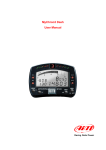
EVO4 can be connected to an AIM display to see channels and alarms during the race.
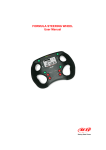
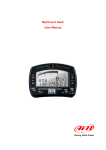
The available displays are MyChron3 Dash, TG Dash, Formula Steering Wheel.
Information shown in the different display pages can be configured by the user through
Race Studio 2 software.
Please refer to each display user manual for further information concerning their
working mode and to Race Studio Configuration user manual for the display
configuration. The manual are downloadable from www.aim-sportline.com
download area documentation section (displays user manual) and software section
(Race Studio Configuration user manual).
14
3.5 – GPS lap timer through the displays
EVO4 can use the connected display to show lap/split times using GPS lap timer without
using any external lap/split transmitter.
27
3.5.1 – GPS lap timer configuration
For EVO4 to compute lap times using GPS lap timer it is necessary to set this option in its
configuration and then transmit it to the logger. Refer to Race Studio Configuration user
manual – chapter “EVO4” and “Transmitting the configuration” – for further information.
28
3.5.2 – How to configure GPS lap timer on the display.
To set lap and splits on the display via keyboard refer to each display user manual.
www.aim-sportline.com
16