1
Initially, these two groups have the same permissions, except for the default start
page and the admin group's ability to manage user accounts and groups.
v IBM Tealeaf cxReveal Admin users start on the Portal Management page by
default, while IBM Tealeaf cxReveal Users start on the default search template
page.
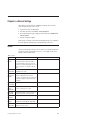
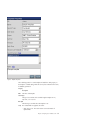
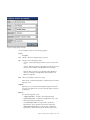
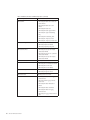
For each group, you should review the following settings at a minimum:
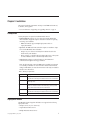
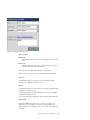
Setting Description
Default Password Expiration
The number of days that a password is allowed to be used before all
members of the group must choose a new one.
Password Expiration Warning Period
The number of days before password expiration that a user begins to
receive Portal warning messages to change it before it expires.
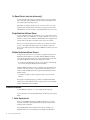
Default Log User Out If Idle
If set to Enable, members of this group are automatically logged out of the
Portal if their accounts are idle for a specified period of time.
v You can change the idle timeout setting.
Default Portal Navigation Menu
If set to Disable, members of this group cannot see the top-level Portal
navigation menu and can access only Portal pages available through their
defined default page.
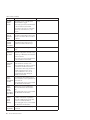
Default Lock Replay Mode
If set to Disable, members of this group cannot change their Replay Mode.
Default Replay Mode
Defines the replay mode for the group. If members of this group are not
provided the IBM Tealeaf CX RealiTea Viewer application, set this value to
BBR, which is a web-based replay application.
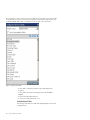
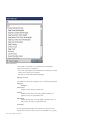
Default Search Template
You can select the default search template to display to members of this
group from the drop-down.
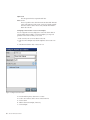
Additionally, you should review the options available by selecting each of the
following buttons at the top of the settings pane:
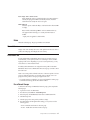
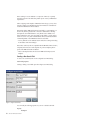
v Assign Users - To assign a user to the selected group, click the Assigned
checkbox and click Save.
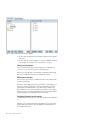
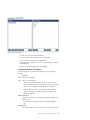
v Menu Profile - Make selections in the menu tree to define the pages to which
members of this group can access. The default settings for IBM Tealeaf cxReveal
groups should provide adequate access.
Note: By default, the IBM Tealeaf cxReveal Admin group has additional menu
permissions to see monitoring reports, such as Activity Reports and Active
Status, which can be used to verify system status and to diagnose problems
reported by user group members.
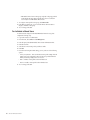
v Administration Profile - You can select the areas of the Portal Management
page to which the group members have access.
Note: The group must have the Portal Management page in its menu profile.
Access to these areas should be reserved for administrator groups.
16
cxReveal Administration Manual