1
SUN-1 SYSTEM REFERENCE MANUAL
3.
3.1.
Page 14
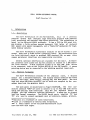
INSTALLATION
Unpacking Instructions
Inspect all shipping cartons immediately upon receipt for evidence
of damage. If any shipping carton is severely damaged, request that the
carrier's agent be present when the carton is opened. If the carrier's
agent 1s not present when a carton is opened and the contents are found
to be damaged, keep all contents and packing materials for the agent's
inspection.
Carefully unpack all items from the shipping containers.
Avoid
using sharp instruments which may damage the contents. We recommend
that you save salvageable shipping cartons and packing material for
future use 1n case the product must be reshipped.
3.2.
Safety Precautions
Other than procedures described in this document, please do not
attempt to service your Sun-1 work3tation; contact Sun Microsystems or
your field service organization.
Observe common-sense safety precautions as you would for any
electrical or electronic equipment.
Always disconnect power before
opening any system enclosure. Whenever in doubt, contact Sun or an
authorized service representative.
The foIl Ning sections contain set-up and configuration specifications for the Sun-1 Workstation. Consult the additional hardware manuals supplied with your workstation (and with user-supplied Multibus
accessory boards, if any) for further information and precautions.
3.3.
Card
Ca~e
Configuration
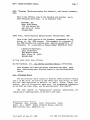
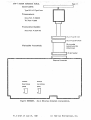
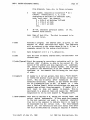
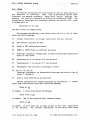
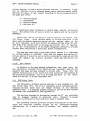
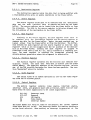
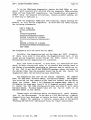
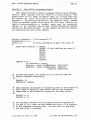
The card cage slots are arranged as follows:
TOP
Sun
Sun
Sun
Bus
Bus
memory expansion 2
memory expansion 1
3
processor board
4
master 1
5
master 2
6~
Mul tibus memory, optional (graphics, other)
lL Sun graphics board
1
2
Y
---
' - D)Ul-;. ~
BOTTOM
The earliest-produced Sun systems have a six-slot card cage~
The
arrangement of the six-slot cage is the same as above except that slot 6
contains the graphics board and slot 7 is deleted.
Note that the processor board and Sun memory expansion
V1.0 draft of July 27, 1982
boards
(if
( c) 1982 Sun Hicrosy stems, Inc.